
Could not fetch notebook error
Problem
Notebooks do not render within the Insert/Edit macro browser preview window or in-page. Instead, an error is displayed.
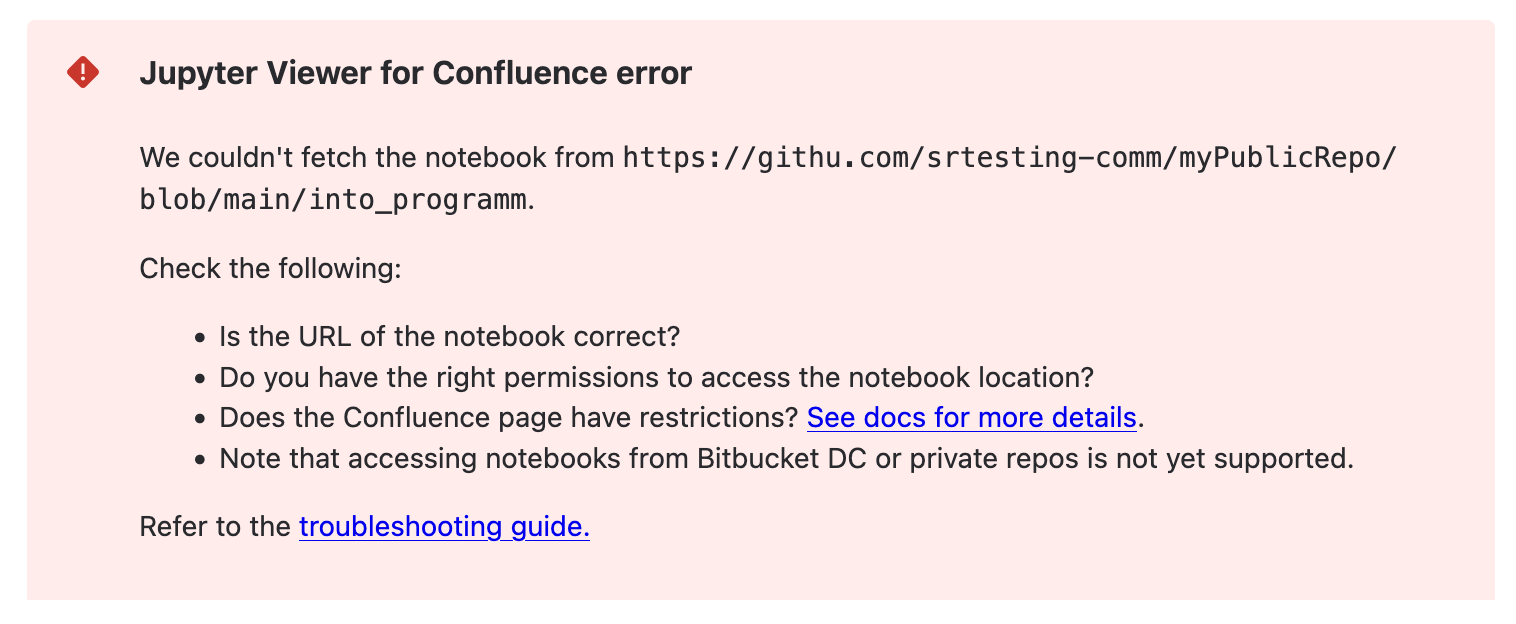
There are some known causes of this behavior:
-
User is not allowed to view a restricted page and its attachments
-
Notebook URL is from an unsupported location
Solutions
Supported notebook locations
Check that the Notebook URL is from a supported notebook location.
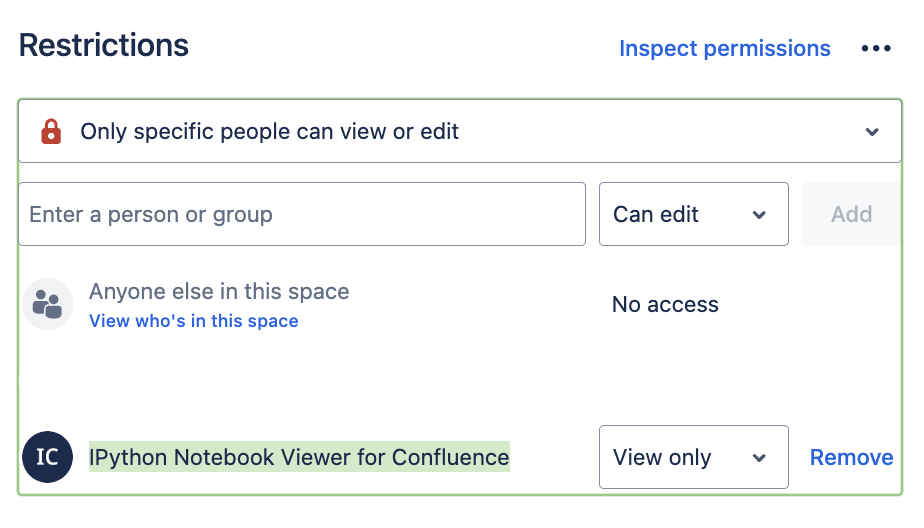
Page Restrictions
If the Confluence page has restrictions, ensure the user needing access is added to view the page.
Is it possible to define an external Jupyter renderer for IPython Notebook Viewer for Confluence?
It is not possible to define an external renderer. The rendering happens with JavaScript on the client for the cloud and server app.
Why is the Notebook limit at 4.5Mbyte?
We’re currently transitioning our Jupyter Viewer for Confluence macro from Atlassian Connect to .
At this time, Forge restricts responses to 5Mbyte in size. Therefore, the notebook size is limited to 4.5MBytes, to ensure that notebook and additional information are not exceeding the 5MByte limit.
If a higher limit is critical to your workflow, please reach out to us.