Public projects
No configuration needed.
Private projects
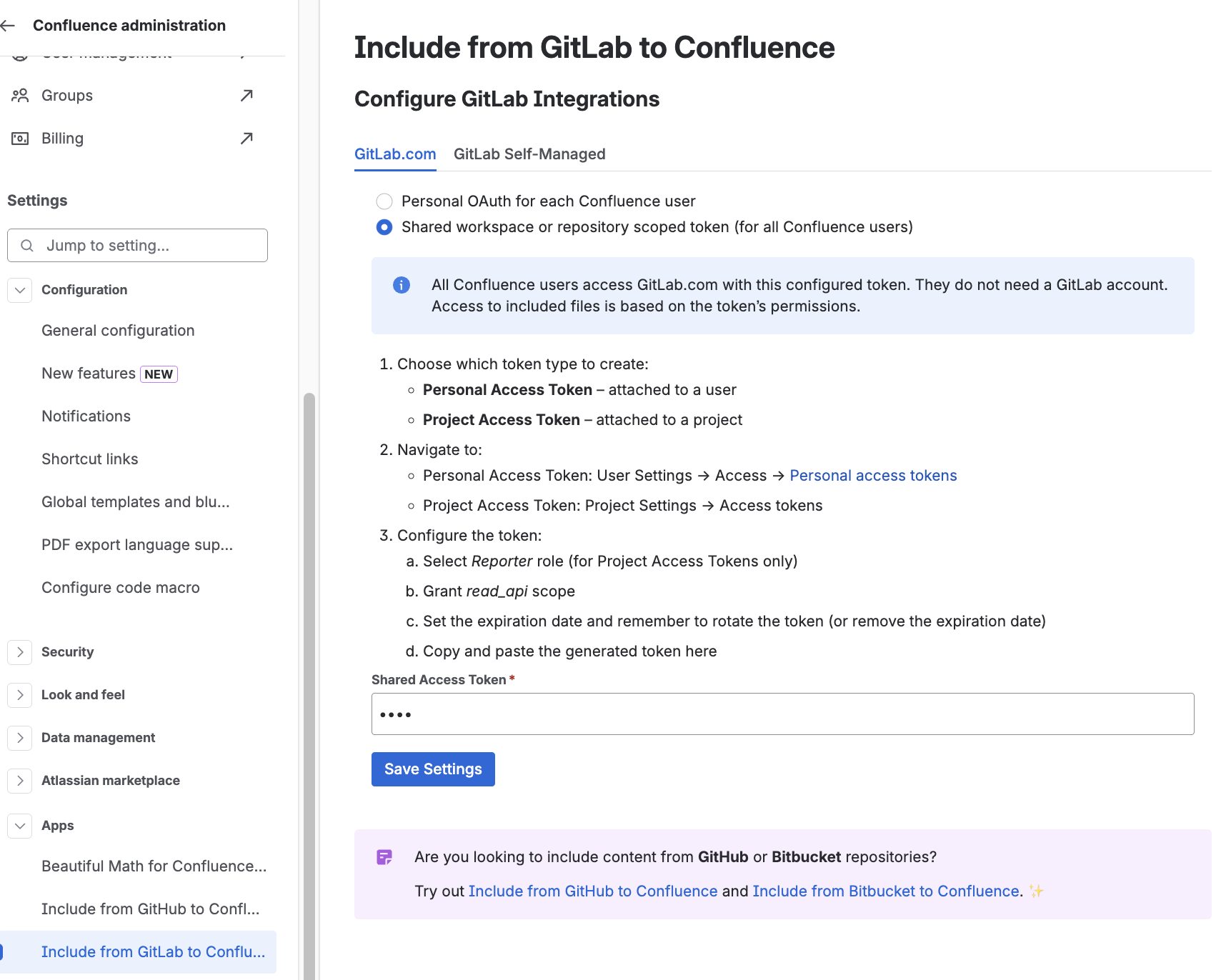
By default no configuration is required. Each user will have to authenticate with OAuth to GitLab to access the content. Therefore, each Confluence user also needs a GitLab account to see the private projects.
Shared Authentication
Alternatively, shared authentication can be used. All Confluence users will share the same authentication to GitLab and therefore won’t need a GitLab account. Confluence users will see all content the authentication token has access to.
-
On GitLab.com, navigate to User-Settings → Access → Personal access tokens for user scoped tokens. Or project settings → Access tokens for project scoped tokens.
-
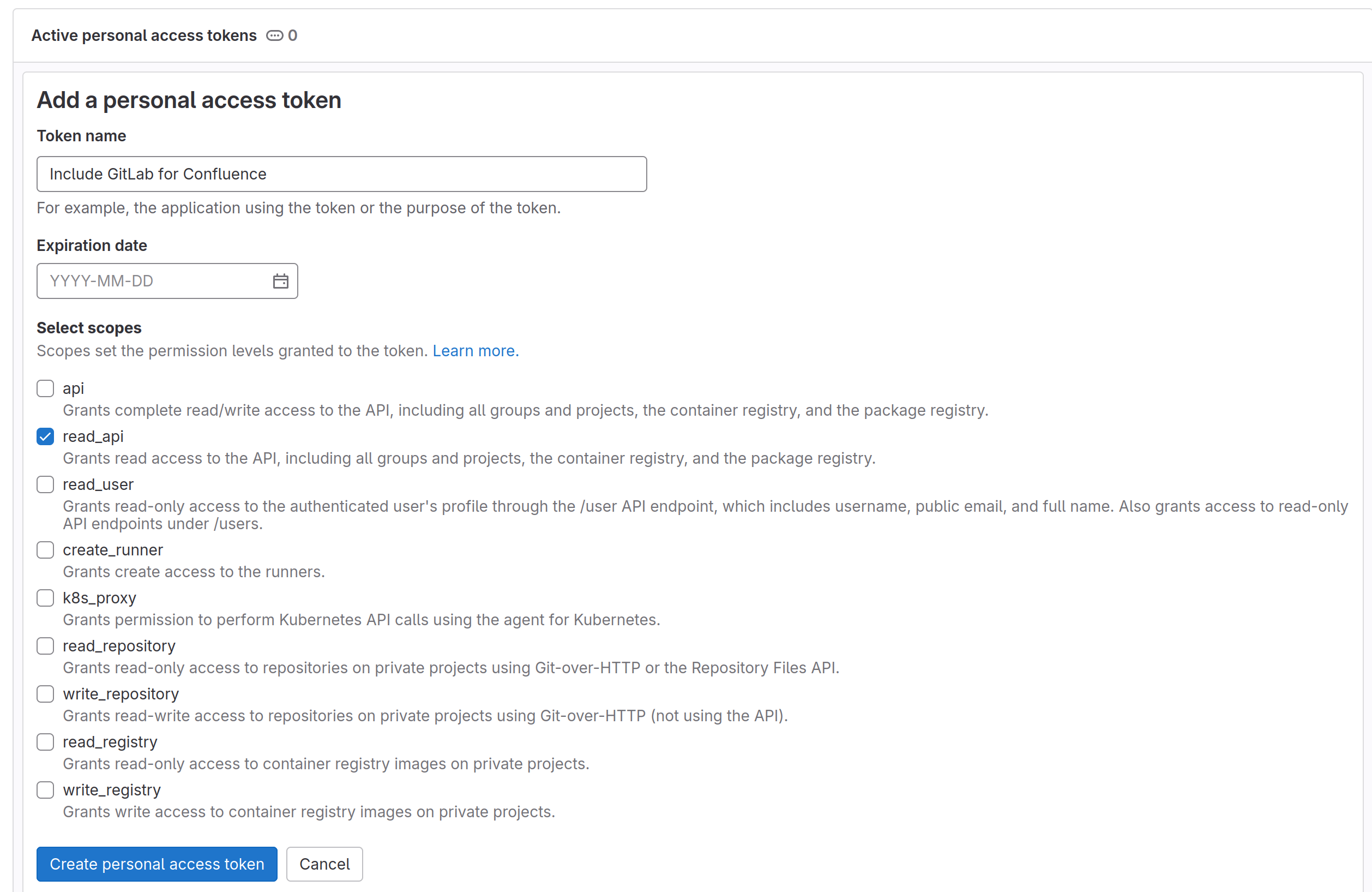
Create an Access-Token:
-
(For Project tokens only) Select the Reporter role
-
Grant the
read_apiscope -
Note the expiration date. Be aware to update the token if it expires or remove the expiration date.
-
-
On Confluence, navigate to the Settings → Apps → Include from GitLab to Confluence
-
Switch the authentication method and save the token: