
-
🔰 fundamental topics for beginners getting started with DevSensei
-
🔬 advanced topics for once you have your first workflows automated
Migration: From CODEOWNERS config to DevSensei 🔰
DevSensei turns your static CODEOWNERS reviewer-assignment rules into a full PR workflow automation engine. Instead of just picking reviewers, it can also auto-merge, add checklists, comments, or decline PRs based on conditions like branch, file path, or PR size.
DevSensei supports everything CODEOWNERS already does, and adds the following rich set of features:
Centralized Configuration & Reusability
-
Includes (
includes): Share common workflow rules across multiple repositories to reduce duplication and maintenance effort. -
YAML Anchors (
shared): Reuse configuration blocks (such as reviewer groups or common rule parameters) within the samedevsensei.yamlfile. -
Default Branch Single Source of Truth:
devsensei.yamlis read from the default branch of your repository. This reduces the maintenance efforts significantly when the automation for the repository needs changes.
Flexible Workflow Automation (Conditions & Actions)
-
Declarative Conditions: Trigger workflows based on source/destination branch patterns, modified file paths, PR age/staleness, PR size, code churn, or PR labels.
-
Rich Action Library:
-
add-checklist,add-checklist-on-files
Generate conditional PR-level and file-level checklists for authors and reviewers. -
suggest-description/suggest-title
Pre-fill PR titles and descriptions based on structured templates. -
schedule-auto-merge
Automatically merge PRs once all conditions and checks pass. -
decline
Automatically decline pull requests meeting specific criteria. -
unapprove
Reset approvals when new code changes are pushed. -
add-comment,add-comment-on-files
Leave automated guidance or reviewer reports on the PR.
-
We continue to add actions regularly to automate your pull request workflow. Let us know what actions you are looking for.
Intelligent Reviewer Routing Strategies
-
Advanced Routing: Supports strategies like
least-busy(distributing review workload evenly based on active PR load per repository) in addition to random assignment. -
Assignment Limits & Improved Fallback Owners: Set explicit limits on assigned reviewers and define per workflow fallback strategies with clearer control than
CODEOWNERS' global fallback rules.
Custom & Alias Merge Checks
-
Custom Merge Checks: Define custom conditions that must succeed before a PR can be merged (e.g. blocking PRs with specific title prefixes).
-
Alias Checks: Enforce rules like
minimum-approvals,minimum-successful-builds, or flexiblecodeowners-checkexpressions.
Developer Experience & Tooling
-
IDE & Schema Support: Formal JSON/YAML Schema support for VS Code and JetBrains IDEs, offering inline autocompletion, syntax validation, and code examples.
-
UI Workflows Modal: Visual status in Bitbucket showing all active/inactive workflows and what checklist items are open to unblock the PR.
How can I migrate from CODEOWNERS to devsensei.yaml?
The migration from CODEOWNERS to devsensei.yaml has been automated, so only minimal effort is required on your part.
Migration prerequisites: The DevSensei app must be installed, and the repository must contain a CODEOWNERS file in the main branch for DevSensei to migrate.
Migrate all or many repositories in the Bitbucket project settings (bulk action)
-
Install the DevSensei app.
-
Open the project settings as an admin.
-
Navigate to the DevSensei migration section.
-
If a
CODEOWNERSfile exists in any of the repositories, a migration action is available. -
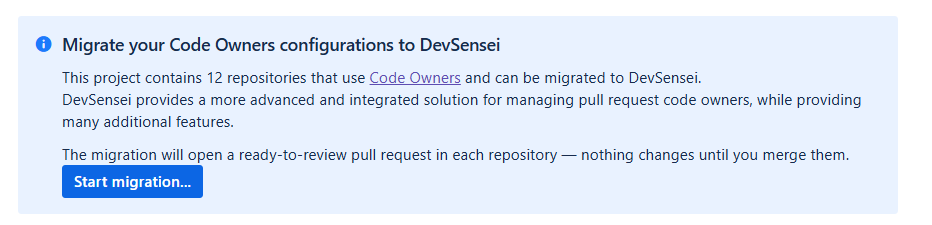
Click Start migration...
-
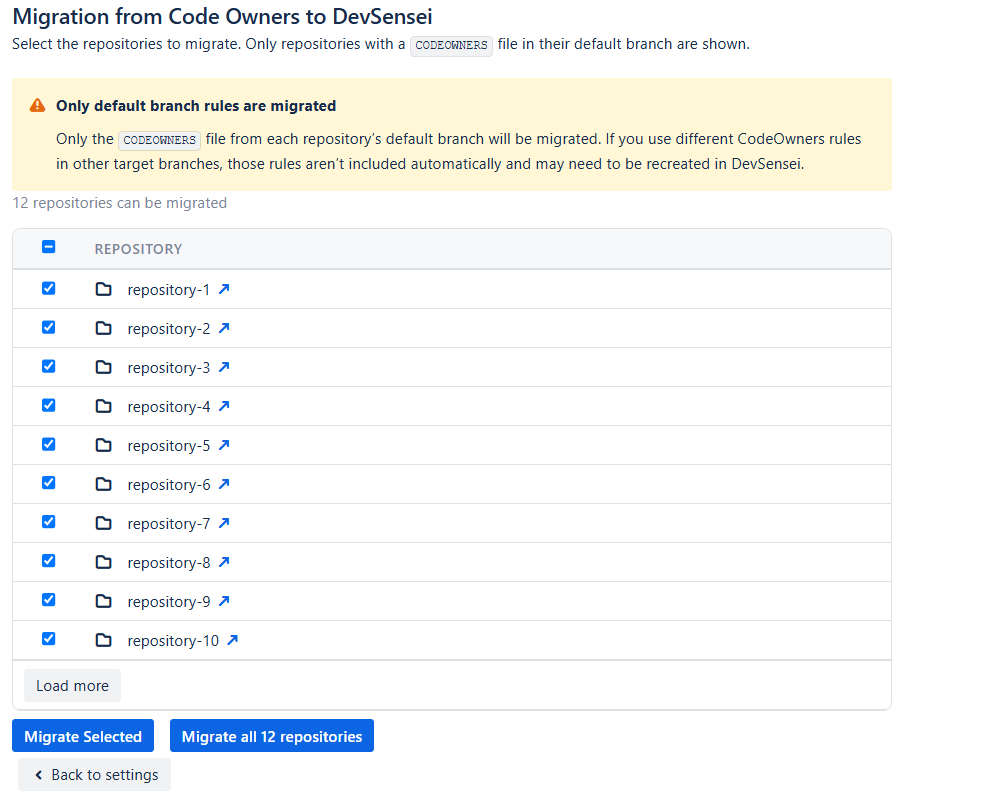
Choose either some repositories (Migrate Selected) or all (Migrate all N repositories) depending on your needs. If a repository does not show up in the list, it could be that it has not been indexed yet. Wait a few minutes and try again.
-
DevSensei generates
devsensei.yamlfiles that mirror the existingCODEOWNERSbehavior. -
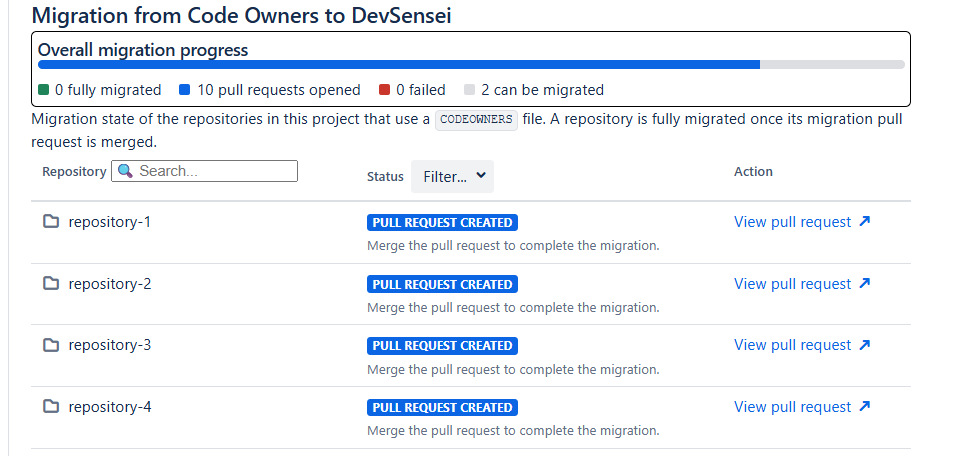
DevSensei creates pull requests containing the generated YAML configuration. You can see statistics how many pull requests have been created, if an error occurred and how many repositories are fully migrated:
-
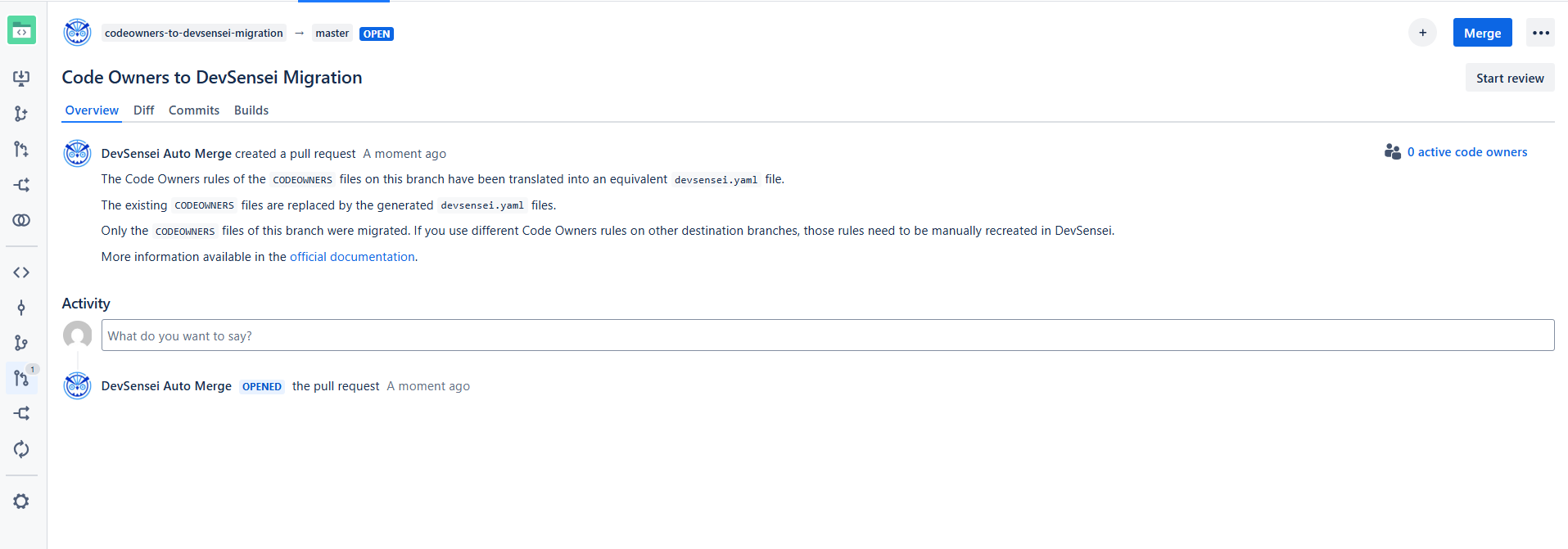
Review all the generated pull requests and merge them when you are satisfied with the result.
-
After all pull requests have been merged, the migration is done and the migration section will no longer be visible.
-
The Project settings are set on DevSensei mode after the migration.
Migrate a single repository in the Bitbucket repository settings since 9.5
-
Install the DevSensei app.
-
Open the repository settings as an admin.
-
Navigate to the DevSensei migration section.
-
If a
CODEOWNERSfile exists in the repository, a migration action is available. -
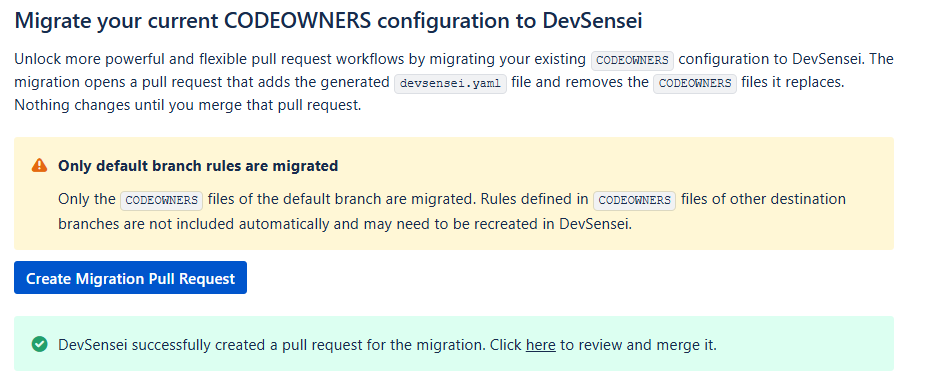
Click Create Migration Pull Request.
-
DevSensei generates a
devsensei.yamlfile that mirrors the existingCODEOWNERSbehavior. -
DevSensei creates a pull request containing the generated YAML configuration.
-
Review the pull request and merge it when you are satisfied with the result.
-
The Repository settings are set on DevSensei mode after the migration.
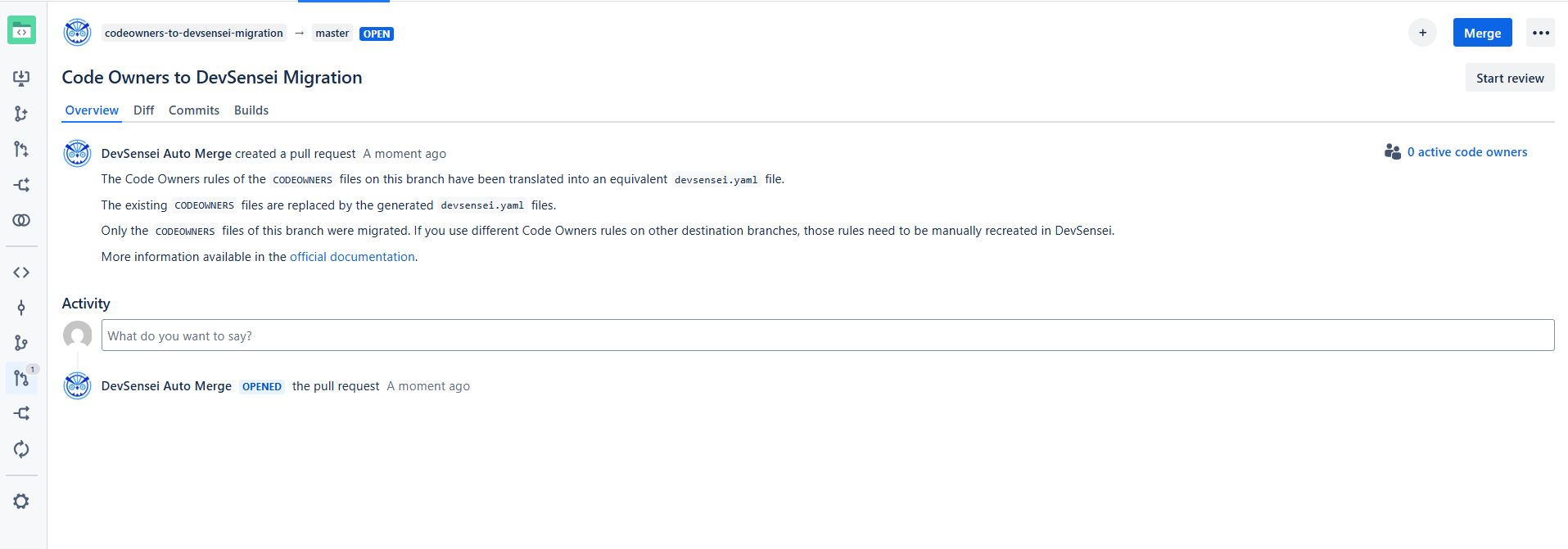
Best practice: Review the generated pull request before merging, especially if your Code Owners setup uses many path patterns or group owners. The migration is automatic, but the PR review gives your team a safe checkpoint.
DevSensei reads the devsensei.yaml configuration from the default branch of your repository for every pull request. This is in contrast to Code Owners configuration in CODEOWNERS file, that is taken from the destination branch of the pull request.
Below you can see both a CODEOWNERS file and the equivalent devsensei.yaml file. This should help you to migrate from your Code Owners rules to the new YAML format (see the matching numbers for the equivalents).
The format of the Code Owners rules is the same, so you can copy that to the rules section of the codeowners custom attribute.
CODEOWNERS
CODEOWNERS.destination_branch_pattern main             # (1)
CODEOWNERS.destination_branch_pattern release/*        # (2)
CODEOWNERS.toplevel.subdirectory_overrides enable      # (3) NOT SUPPORTED, see details in next section
CODEOWNERS.toplevel.assignment_routing random 2        # (4)
CODEOWNERS.toplevel.assignment_limit 20                # (5)
CODEOWNERS.toplevel.create_pull_request_comment enable # (6)
CODEOWNERS.toplevel.auto_unapprove_on_change enable    # (7)
CODEOWNERS.source_branch_exclusion_pattern hotfix/*    # (8)

@@@MyDevs                @PeterTheHacker  @PeterTheJavaExpert ann@scala.lang @@JSDevs

*                        @PeterTheHacker
*.java                   @PeterTheJavaExpert
*.js                     @PaulTheJSGuru @@JSExperts
"a/path with spaces/*"   docs@example.com
!ci/playgrounds.yml
src/components/**/*.js   @@MyDevs

Check(@@MyDevs >= 2)
devsensei.yaml
shared:
  - custom-groups:
      MyDevs: &MyDevs
        - @PeterTheHacker
        - @PeterTheJavaExpert
        - ann@scala.lang
        - @@JSDevs

workflows:
  - name: Add Code Owners
    conditions:
      - or:
        - destination = 'main'        # (1)
        - destination ~= 'release/*'  # (2)
      - source ~!= 'hotfix/*'         # (8)
    retrigger-on:
      - diff-change # If you want update Code Owners when the pull request code is updated
    custom-attributes:
      custom-groups:
        MyDevs: *MyDevs
      codeowners:
        rules: |
          *                       @PeterTheHacker
          *.java                  @PeterTheJavaExpert
          *.js                    @PaulTheJSGuru @@JSExperts
          "a/path with spaces/*"  docs@example.com
          !ci/playgrounds.yml
          src/components/**/*.js  @@MyDevs
    actions:
      - unapprove:                    # (7)
          members: codeowners
      - add-reviewers:
          members: codeowners
          assignment-routing:
            random: 2                 # (4)
          assignment-limit: 20        # (5)
      - add-comment:                  # (6)
          report-from: add-reviewers
    merge-checks:
      - codeowners-check: |
          Check(@@MyDevs >= 2)
Code Owners Settings NOT supported by DevSensei equivalents 🔬
|
Code Owners feature |
Why not supported / Alternative? |
|---|---|
|
|
Manually include rule files of sub directories |
To replicate the previous behavior of the sub-dir override feature with DevSensei workflows, you must:
-
prefix the file patterns with the subdir in the corresponding
codeownerscustom attribute -
exclude the subdirs in the "root"
codeownerscustom attribute with a negation rule
Example: if you have CODEOWNERS with subdirectory_override=true and module-a/CODEOWNERS.
-
prefix file patterns in migrated
codeownerscustom attributes ofmodule-alikemodule-a/PATTERN -
add
!module-a/as last rule to migrated rootCODEOWNERSaction to ignore the sub directory ofmodule-ain this action