
Problem
After converting a legacy Confluence page containing a Metadata Report macro to the cloud editor, the Report macro appears broken, as shown in the picture below. It will be squeezed into a 300-pixel-wide box and might be unusable.
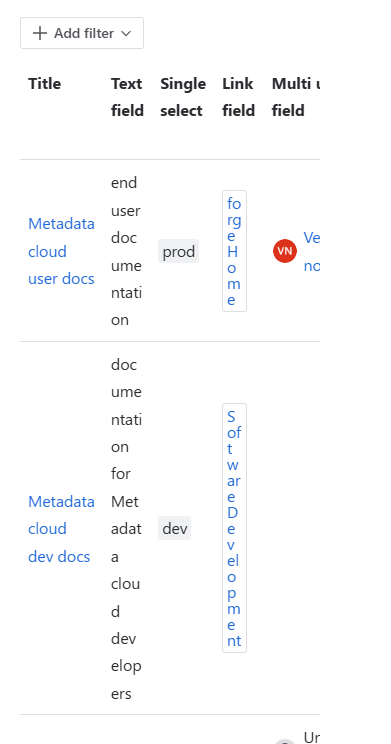
This happens when converting a page manually and when the conversion is done automatically, as announced in Legacy Editor deprecation: Key Dates and What to Expect (Dec 2025 Update).
Cause
The issue is caused by a known Atlassian bug.
Solution
There is no easy workaround. To repair a broken macro, you have to edit the page, remove the macro, insert it again and reconfigure it from scratch.