
If you use page-level restrictions in Confluence, Translations for Confluence macros need additional access to render and switch languages correctly. This applies to pages and blog posts.
The workaround is simple: Grant the Translations for Confluence app user access to the restricted content before you publish or save it.
Important: Always add the app user to the restrictions before saving or publishing the page or blog post. The app user requires write access during saving / publishing; adding access afterward will not enable the Translations macros.
Without this additional permission, the app will not be able to render the language macros on restricted content. The language selection doesn't work either.
What you need to do
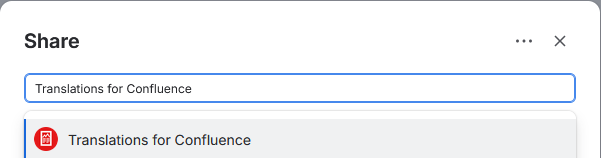
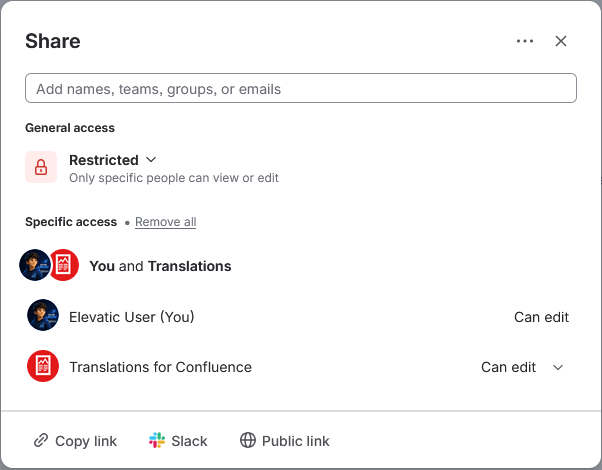
Add the Translations for Confluence app user to the content restrictions and give it edit access.
Step-by-step instructions
-
Open the page or blog post you want to edit or create a new one.
-
Add or remove your language macros as usual.
-
Open the Restrictions settings for the content.
-
Restrict access as needed.
-
Add the Translations for Confluence app user to the restriction settings.
-
Grant the app user edit permission.
-
Save the restriction settings.
-
Only then save your changes or publish the page or blog post.
Now, users who already have access to the page or blog post can view the correctly rendered language macro content and switch between the available languages.