
Only people who can already open content in SharePoint can see it when it's embedded in Confluence. Access always follows your existing SharePoint permissions.
How permissions are applied
The app does not use the Confluence or Azure AD user directories directly, so user names or IDs don't matter. When you sign in to SharePoint Online, the app obtains an access token from the Microsoft Graph API that carries your SharePoint permissions. It uses that token for every request, so each response contains only the SharePoint data you are allowed to see. The token is held in your browser session, which is why you have to be signed in to SharePoint in the same browser as Confluence. For the full architecture, see How the app works.
What you see
-
Signed in to SharePoint: The Document and List macros show only the lists and documents you are permitted to see in SharePoint.
-
Partial access in a document library: If you can reach only some folders in a library, the macro shows only those folders.
-
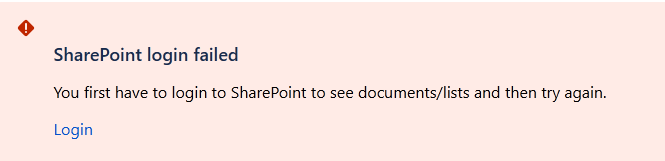
Not signed in to SharePoint: The macro shows a sign-in message instead of content. Sign in to SharePoint in the same browser to load it.
-
No permission for a configured item: If a macro points to a list or document you are not allowed to open, it shows a missing-permission message.
Editing and uploading
To add or edit a document or list through a macro, you need at least read access to the SharePoint site where the item is stored. Include this in your SharePoint permission planning.
Guest access
For details, see Is guest access supported?