
In some cases, it is helpful to format information in the user profile as a link. This is easily possible with Jira's standard functionality when markup is used. Markup can also be used with mapping for LDAP Attribute(s).
Example for LDAP mapping
-
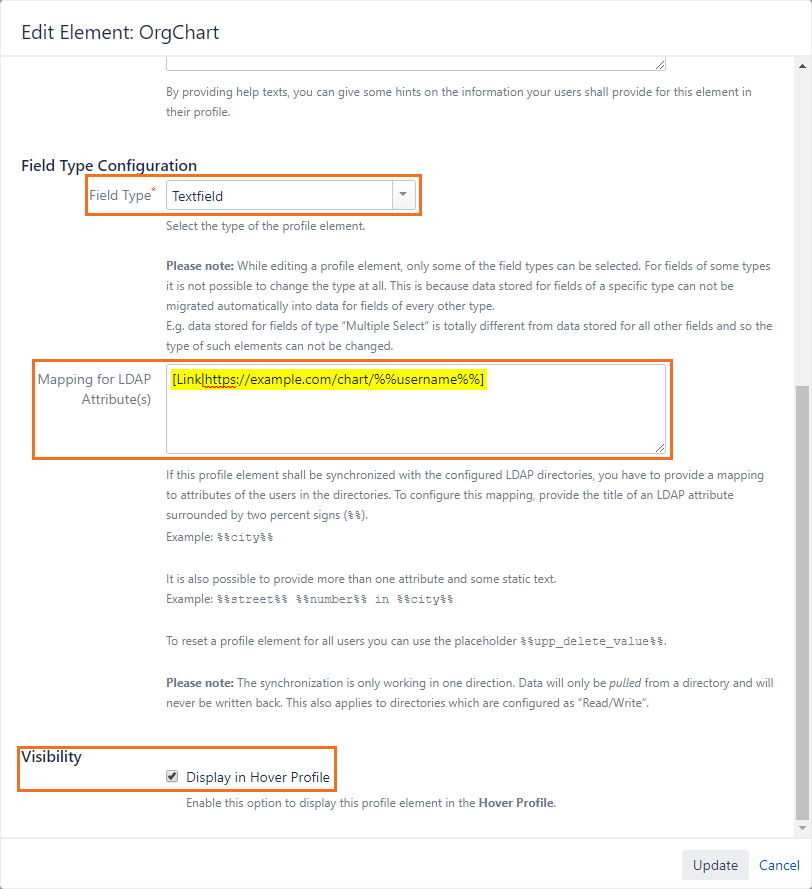
Create a profile Element with the field type “Textfield”
-
In the Mapping for LDAP Attributes, insert your link with markup. For example, if you want to add a link to an Organization chart that is available via https://example.com/chart/<username>, you can use the following markup:
[Link|https://example.com/chart/%%username%%] -
To display the link in the user profile, activate the visibility ("Display in Hover Profile“)
-
Please note: After configuring an LDAP/AD mapping, a manual synchronization will be required before the data from LDAP/AD becomes available.
-
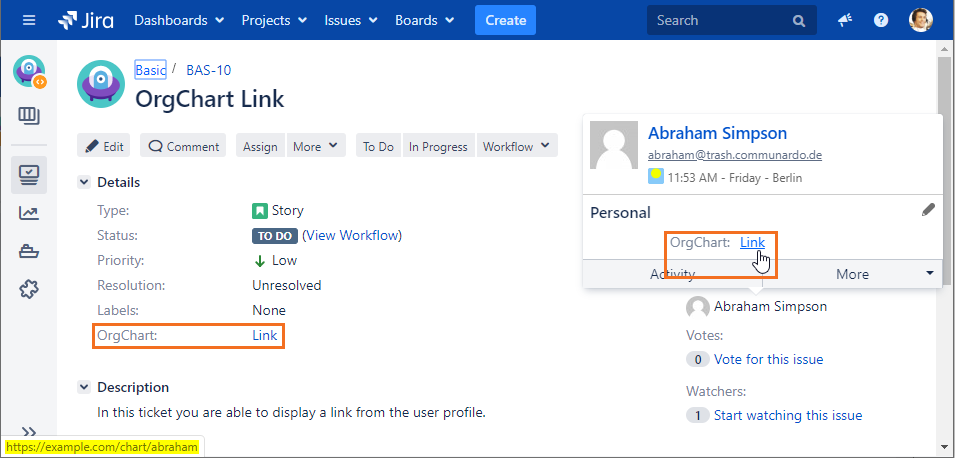
After configuration and synchronization, you will be able to see the Link in the user profile
-
To display this link in Jira issues, please have a look at the documentation: Display Profile Elements in Issues