
Public repositories
No configuration needed.
Private repositories
By default no configuration is required. Each user will have to authenticate with OAuth to GitHub to access the content. Therefore, each Confluence user also needs a GitHub account to see the private repositories.
Shared Authentication
Alternatively, shared authentication can be used. All Confluence users will share the same authentication to GitHub and therefore won’t need a GitHub account. Confluence users will see all content the authentication token has access to.
-
On github.com , navigate to
-
User (top-right) → Settings → Developer settings → Personal access tokens → Fine-grained tokens
-
-
Generate a new fine-grained token
-
Select the Resource owner:
-
Choose your personal account or
-
Choose your organization (available if the organization allows fine-grained tokens)
-
-
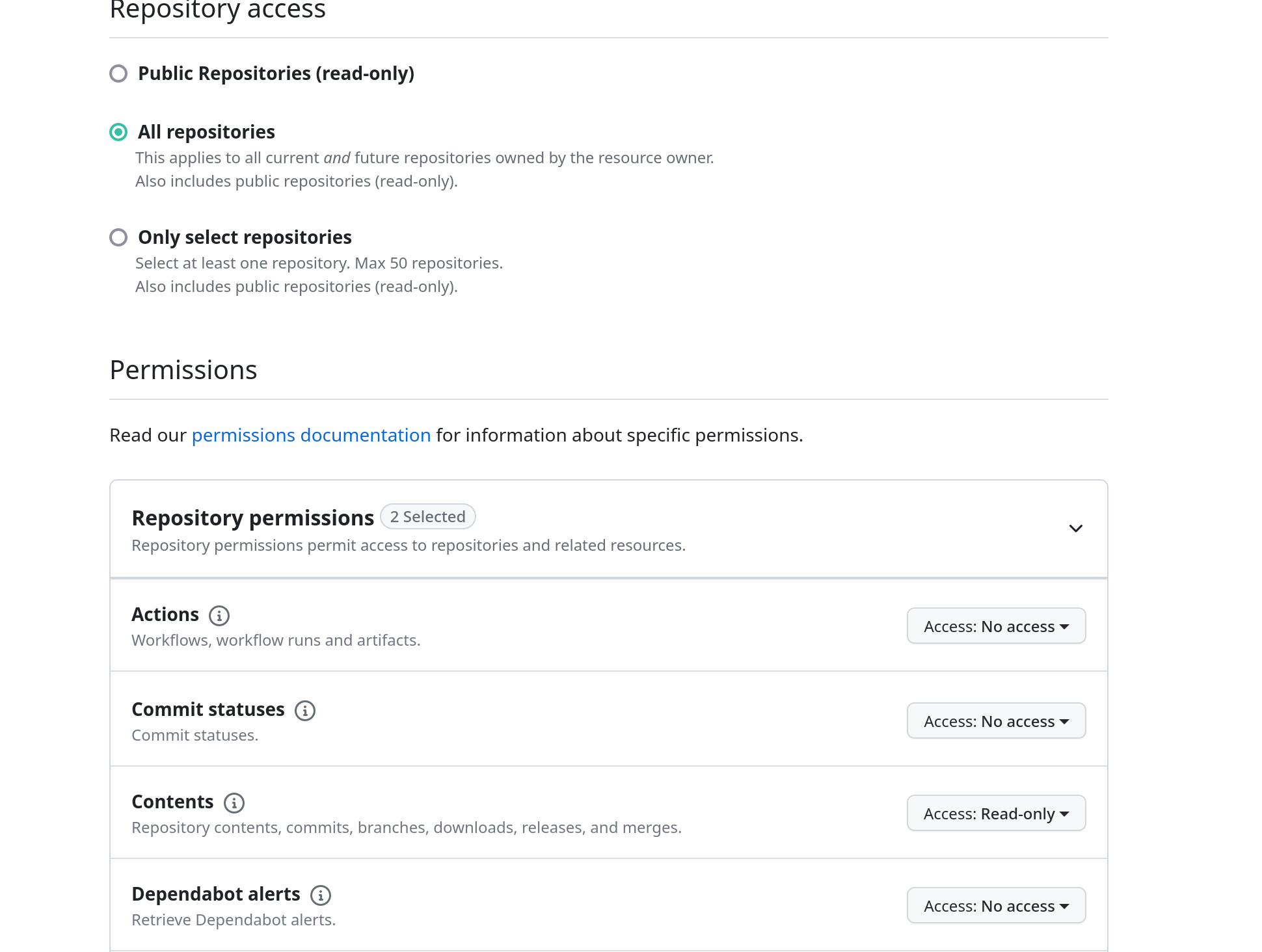
Select the repositories you want to grant access to
-
Use the following permissions:
-
Contents: Read-only
-
Pull requests: Read-only
-
Issues: Read-only
-
-
Set an expiration date
-
-
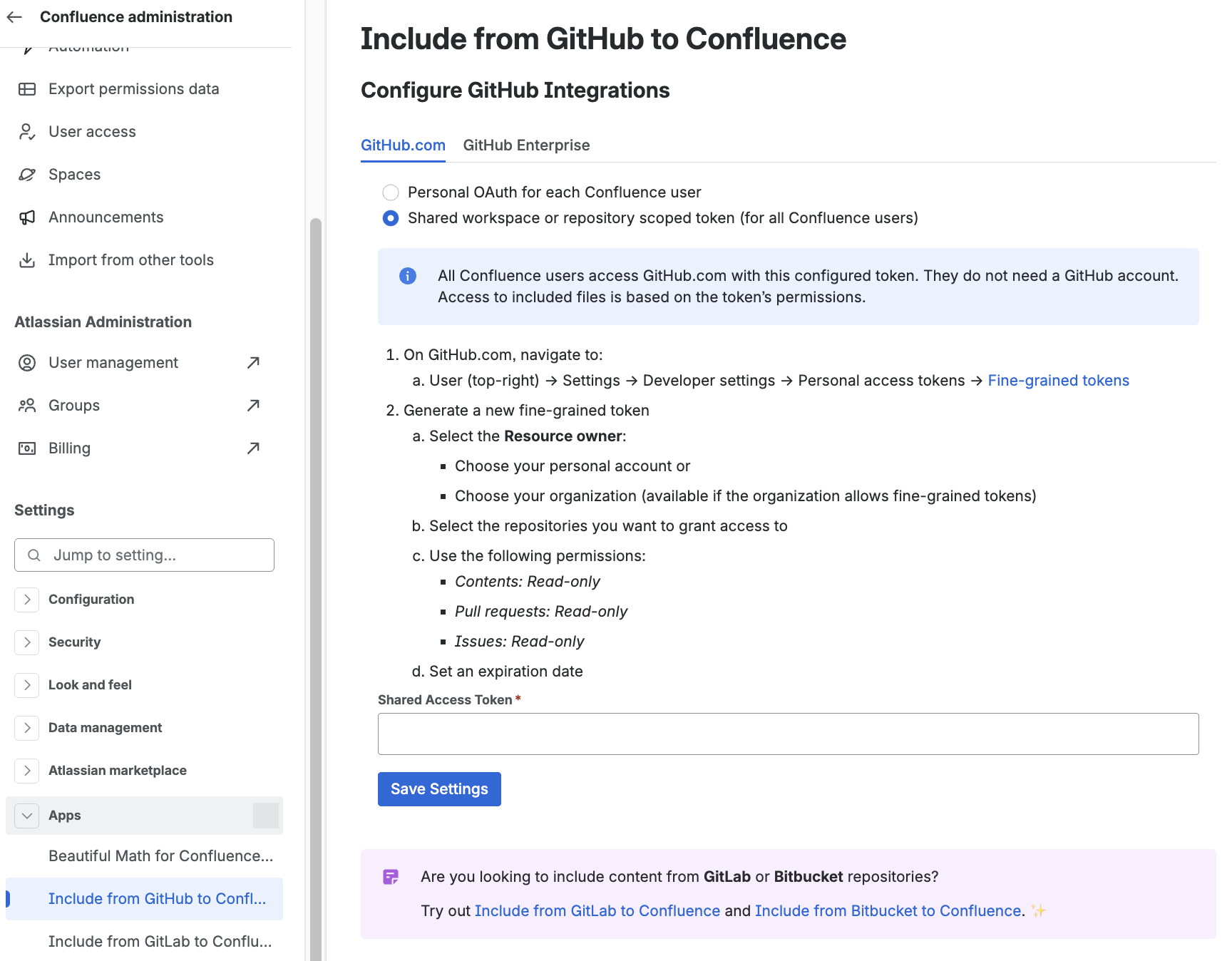
On Confluence, navigate to the Settings → Apps → Include from GitHub to Confluence
-
Switch the authentication method and save the token:
Configuration in Isolated Cloud environments
Additional step for Isolated Cloud environments:
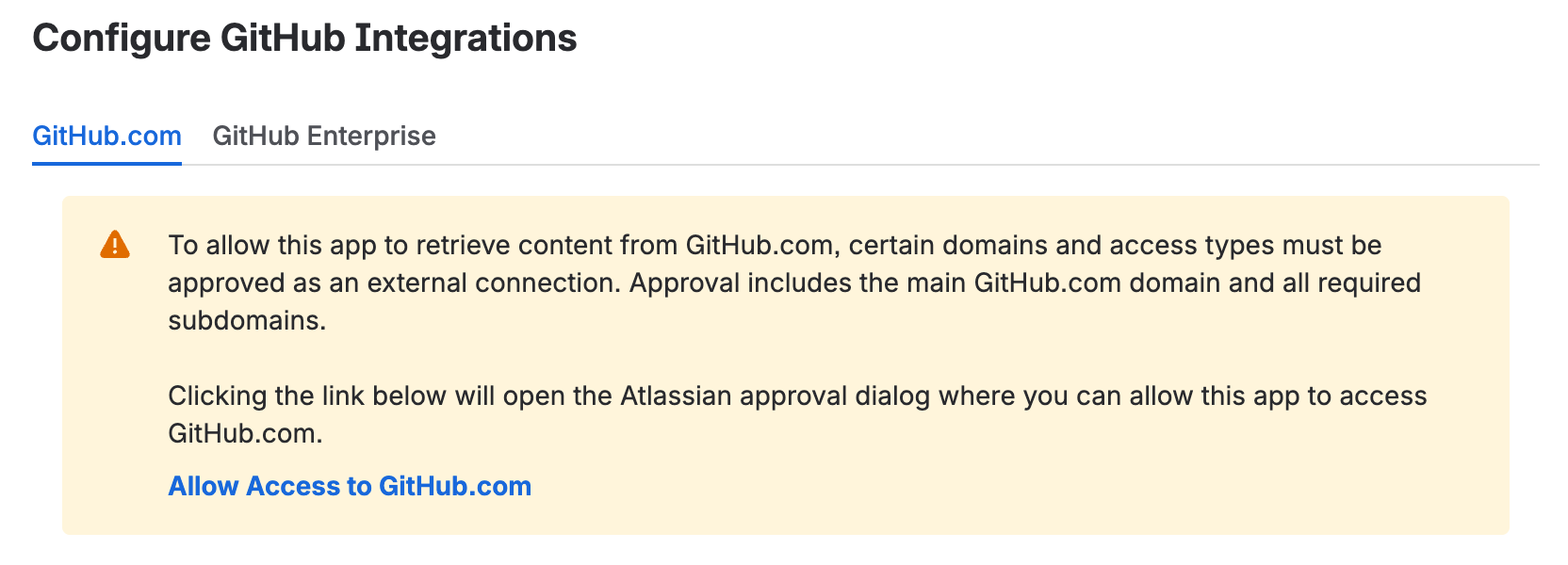
Before the app can access content from GitHub.com repositories, a Confluence administrator must approve data sharing with GitHub domains.
If repository content is inaccessible or a domain approval warning is displayed, verify that GitHub domain access has been approved:
-
Go to Confluence Administration → Apps.
-
Select Include from GitHub to Confluence.
-
Check for a warning message prompting you to Allow Access or Update Access to GitHub.com.
You can also review the approved domains:
-
Go to Confluence Administration → Manage apps → Connected apps.
-
Select Include from GitHub to Confluence.
-
Click Data management to view the approved domains and permissions.
If you have any questions or concerns, please contact us via the Support Portal.