
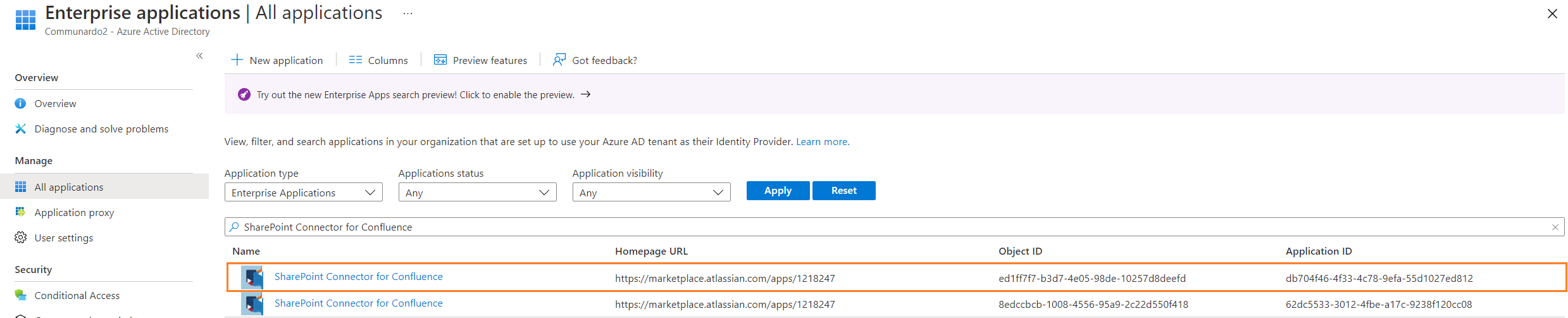
This applies only if you first used the app before release 1.11.4 (October 2021). With that release, the app registration was recreated in a different Microsoft tenant, so an old entry can remain alongside the current one. The two entries share the same name but have different IDs, which is why the app appears twice.
To fix it, a global administrator removes the old enterprise application from Azure AD:
-
Under All Enterprise Applications, search for the ID
db704f46-4f33-4c78-9efa-55d1027ed812to find the old entry. -
Remove that application. For the steps, see Microsoft's guide on deleting an enterprise application.
Granting consent to the current app does not remove the old one, because the two registrations are independent.