
Problem
When using SubSpace Navigation for Confluence and a theme from Refined is enabled, the SubSpace Navigation bar will not be visible.
Solution
To fix this issue, we need to modify the theme by adding some custom HTML.
-
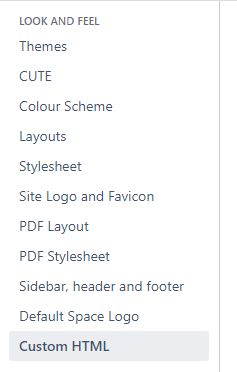
As an admin, go to the “General Configuration”> “Custom HTML” page. You can find this page in the “LOOK AND FEEL” section, or you can search for it in the global search field.
-
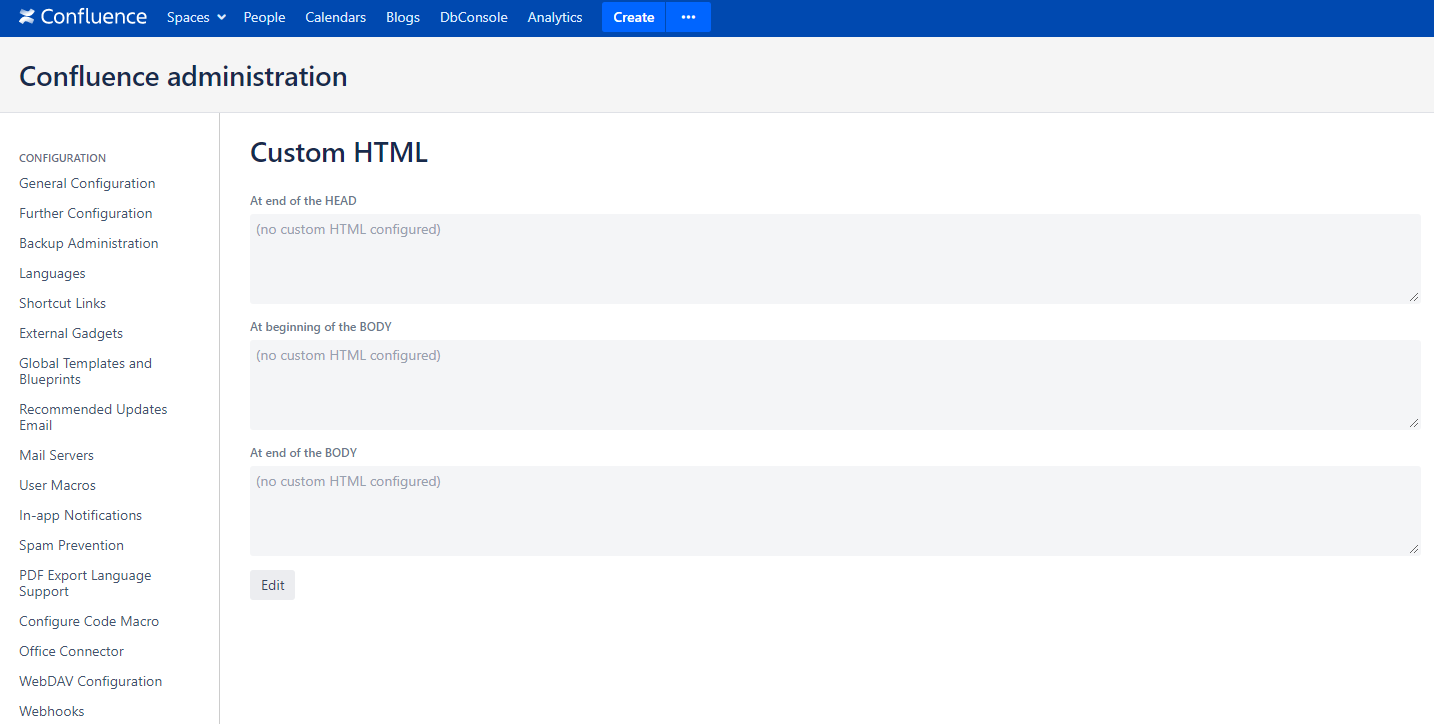
Click on the “Edit“ button.
-
Copy the code below inside the “At the end of the HEAD“.
-
JavaScript
<script>
AJS.toInit(function () {
    var headerElement = AJS.$("#header");
    var navigationBarPro = AJS.$("#navigationbarpro");
    if (headerElement.length !== 0 && navigationBarPro.length !== 0) {
        headerElement.css("display", "initial");
        navigationBarPro.trigger("navigationchanged");
        navigationBarPro.css("width", "100%");
    }
});
</script>
-
-
Click on the “Save“ button.
-
Go to the home page to check if the navigation bar is visible.
Navigation bar width
If the theme uses a sidebar navigation menu, the width of SubSpace’s navigation bar needs to be adjusted to fit within the available space. Change the “100%“ to some other value that better suits your theme. This can be done by modifying the line below.
navigationBarPro.css("width", "100%");
Limitations
-
This workaround ensures the navigation bar is visible on all pages except the blog site.
- SubSpace and Linchpin Theme not working properly
- SubSpace and Metadata Integration
- Navigation Elements are displayed as No Permission
- Error when trying to add space element to navigation
- Cannot move child elements using drag and drop
- SubSpace Pricing Change
- How to force external links to open in a new tab
- Hide Navigation menu entry for specific groups
- Hide navigation in Confluence header
- CSS customization