
In the event where the list of reviewers assigned to a Pull Request are not relevant anymore, you can follow these steps to let Code Owners assign up-to-date reviewers:
-
Manually remove the current reviewers:
-
In the Pull Request UI, click on the
...icon on the upper right corner >edit -
Remove the reviewers present in the reviewers section (you can hold the backspace key in the input box to delete all reviewers)
-
-
Trigger the auto assignment of reviewers by Code Owners:
-
In the Pull Request UI, click on the
...icon on the upper right corner >Code Owners: Trigger assignment
-
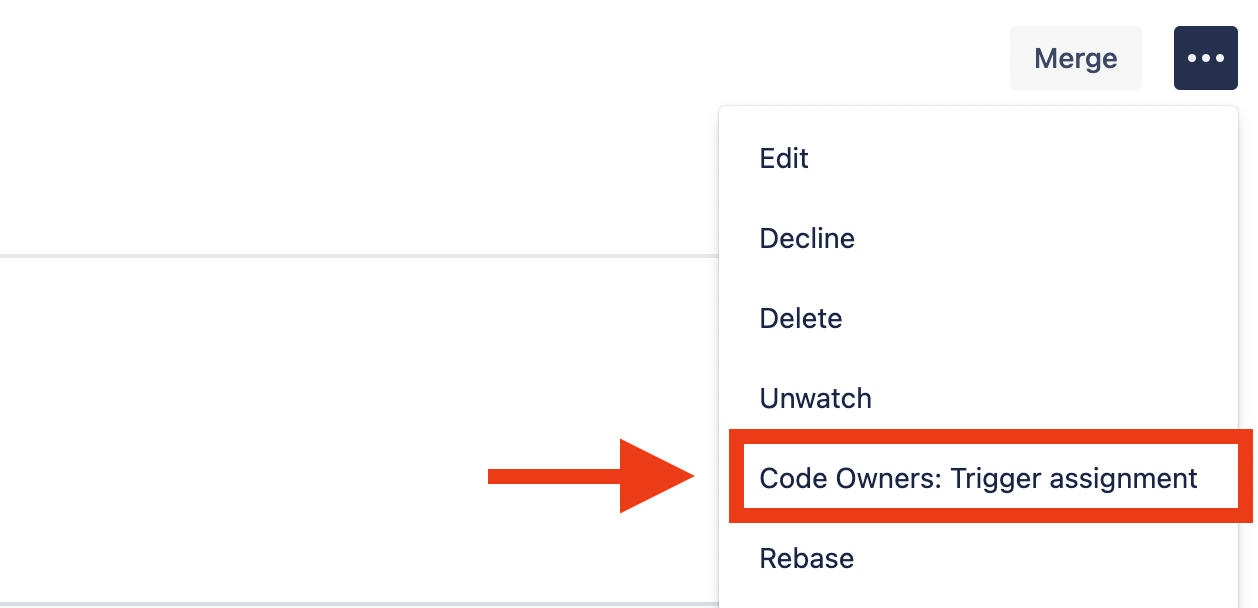
This will add reviewers based on the current state of the Pull Request and the rules defined in your CODEOWNERS file.
The action Code Owners: Trigger assignment only adds reviewers not already present based on the rules defined. Reviewers still present when the action is triggered will remain.
This can be useful if you want to keep certain manually-added reviewers when triggering the action.