When using Scroll Viewport with images hosted in Git, relative image paths can trigger an authentication request, preventing them from loading properly.
To resolve this, use a full URL that references the raw file URL directly. This allows Scroll Viewport to fetch the image without requiring authentication.
⚠️ Note: This approach only works if the repository is publicly accessible. If the repository is private, authentication may still be required and the images will not be visible.
Example Usage in AsciiDoc:
image::https://bitbucket.org/yourInstance/repo/raw/12345/image.png[title="image"]
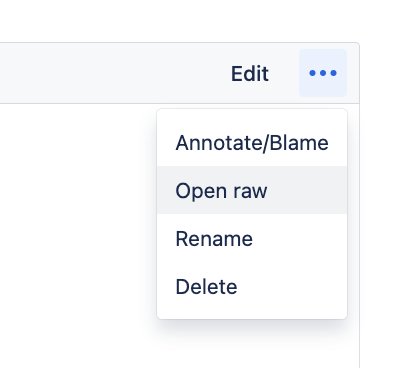
How to Get the Raw File URL?
To obtain the raw URL of an image file in Bitbucket Cloud:
-
Navigate to the image file in your repository.
-
Open rawlocated under the three dots in upper right hand corner of the file and click on it. -
Copy the URL from the browser’s address bar.