
Sometimes our support will ask you to provide the SEN or Entitlement number of your Elevatic app license.
The SEN (Support Entitlement Number) is a unique identifier for Atlassian products and app licenses. Each license has an individual SEN. It is used to identify the correct license for app support and updates.
For Cloud apps, this is called the “Entitlement number” instead of SEN.
Via manage apps
To find the SEN number this way, you need to be a Confluence or Jira administrator.
-
Open Jira or Confluence and log in as an administrator.
-
Open General configuration → Manage Apps → Manage Apps
-
Search for your Communardo app and expand the result.
-
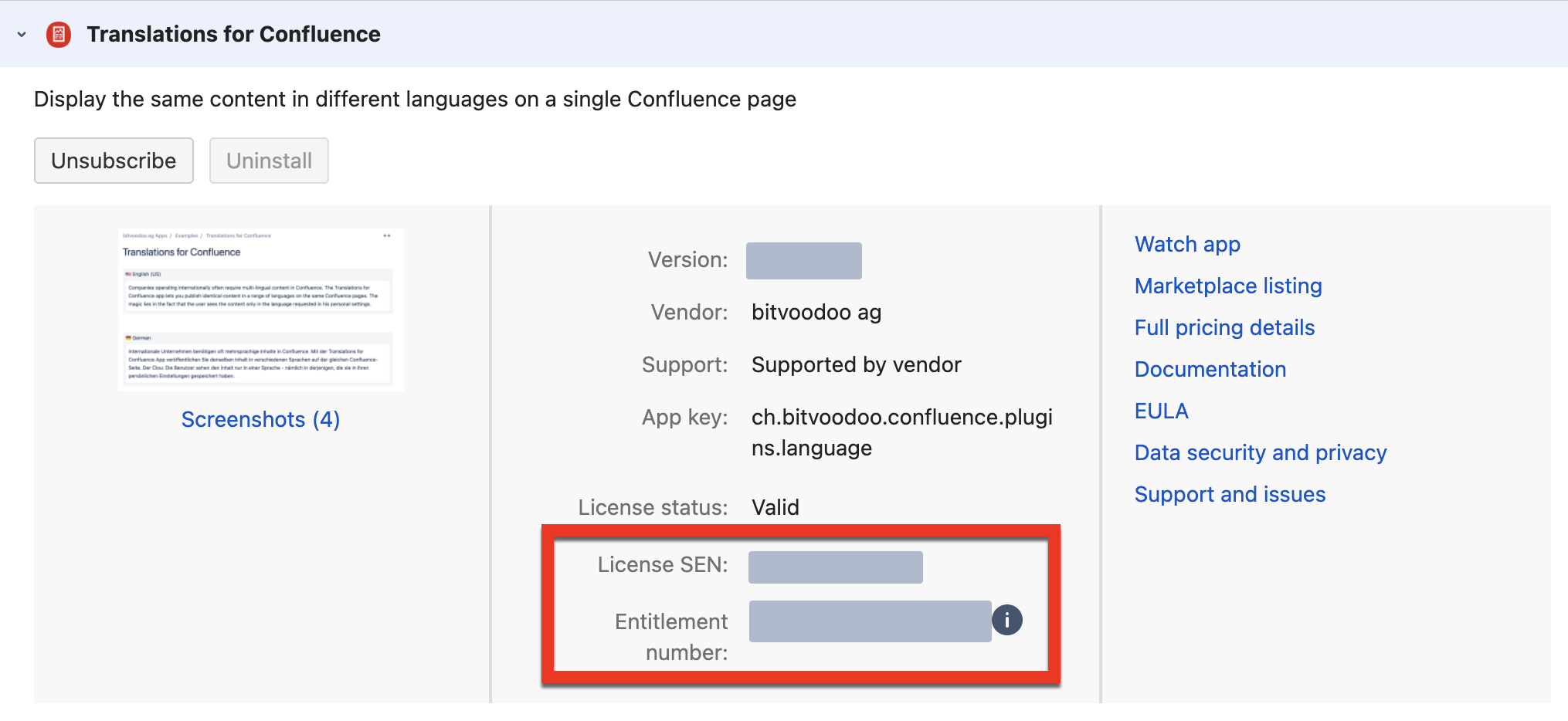
Data Center/Server app: Copy the value of “License SEN“ into your ticket.
-
Cloud app: You will find the Entitlement number just below the “License SEN” in the middle column. Copy this number into your ticket.
-
Via my.atlassian.com
You must either be the Technical Contact or the Billing Contact for the app license to obtain the number.
-
Open my.atlassian.com, log in with your Atlassian ID.
-
Search for your bitvoodoo app.
-
The SEN number is visible in the first column, “SEN“.