
TUTORIAL 5 OF 6 5 MIN BEGINNER JIRA ADMIN
Every new space gets its own SharePoint folder. Rules in that space can then create their folders inside it.
What you’ll learn
-
Create a global rule
-
React to new spaces
-
Prepare a folder structure for other rules
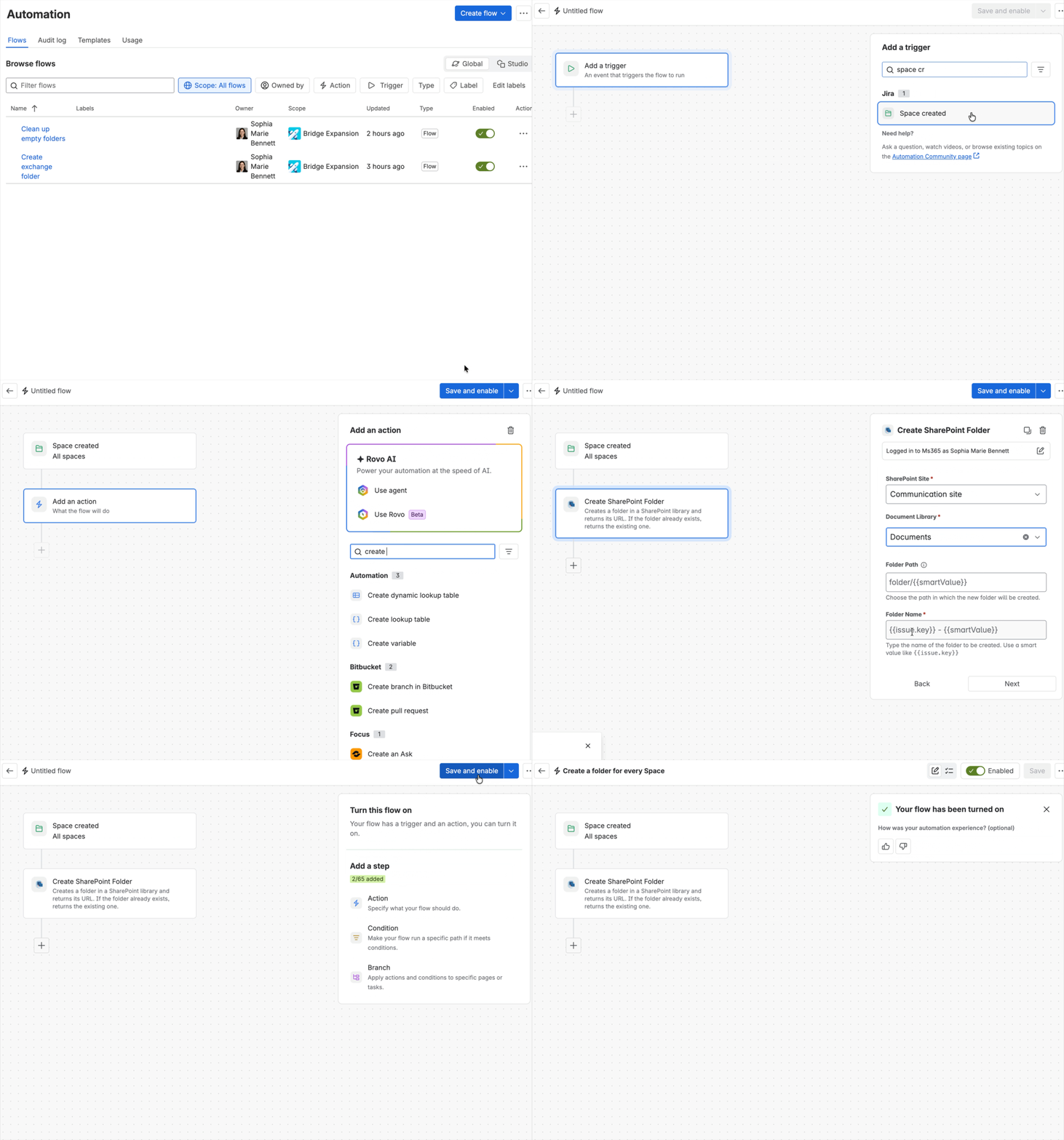
Outcome: When you create a space, SharePoint creates a folder named after its key.
Rule at a glance
-
TRIGGER Space created
-
ACTION Create SharePoint folder
Step-by-step setup
1. Create the rule
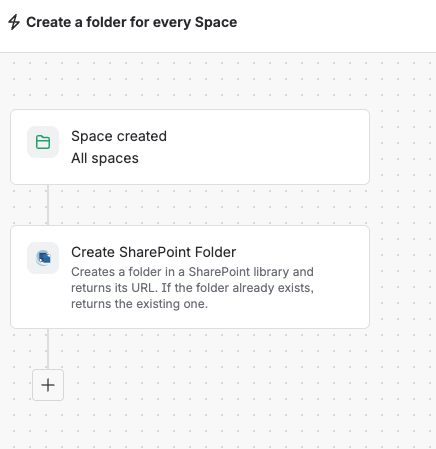
Go to Space settings > Automation and select Global administration. Select Create flow, then choose Create from scratch.
2. Add the trigger
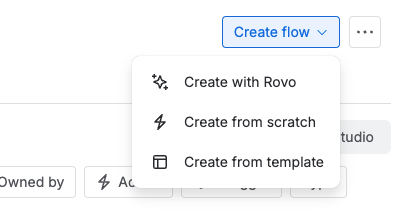
Select the trigger Space created. This trigger is only available in global rules.
The rule only covers spaces created from now on. For existing spaces, create the folders manually in SharePoint using their keys.
3. Create the SharePoint folder
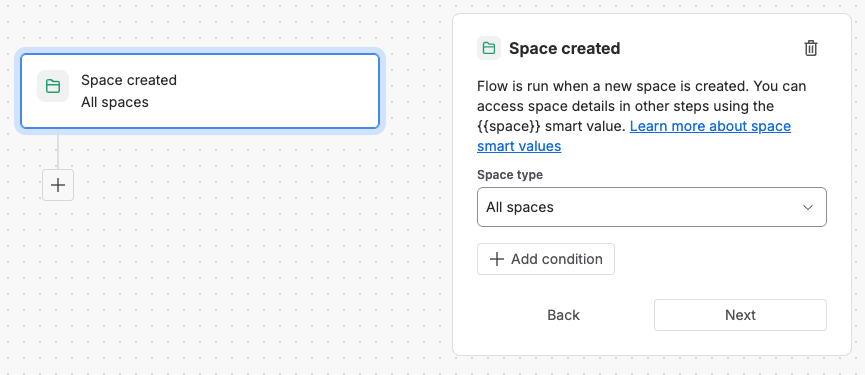
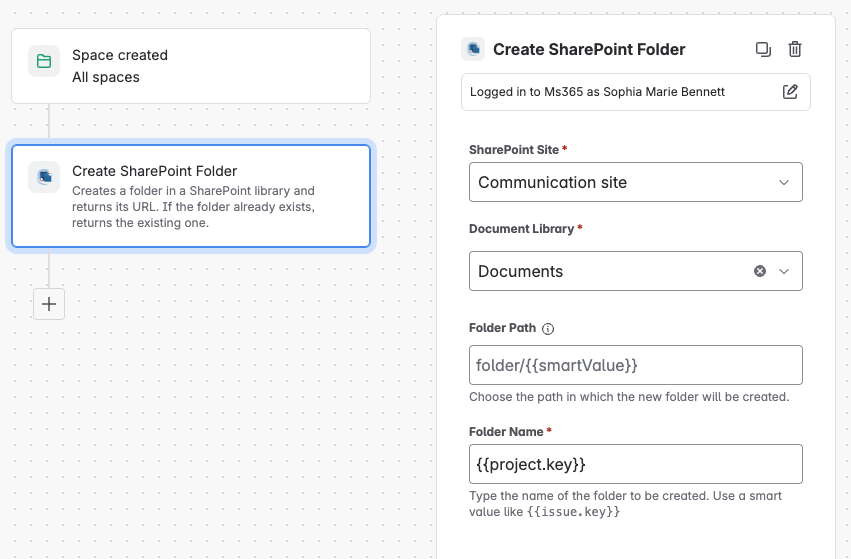
Add the action Create SharePoint folder and fill in the fields.
|
Field |
Value |
|---|---|
|
Site |
Your SharePoint site |
|
Document library |
Your document library |
|
Folder path |
Optional. Leave it empty to create the space folders in the library root. |
|
Folder name |
|
Use the key on its own. Other rules build their folder path from it; for example, Folder path {{project.key}} in A SharePoint folder for every new work item, so it has to be predictable.
4. Turn it on
Name the rule, for example Create space folder, then turn it on.
Try it
Create a space. A folder with the space key appears in SharePoint. If it doesn’t, check the global rule's audit log.