
TUTORIAL 1 OF 6 5 MIN BEGINNER SPACE ADMIN
With one small automation rule, every new work item gets its own SharePoint folder. The rule shows the folder in the work item’s SharePoint panel.
What you’ll learn
-
Create a SharePoint folder from an automation rule
-
Name it with a Jira smart value
-
Pass the result of one action to the next
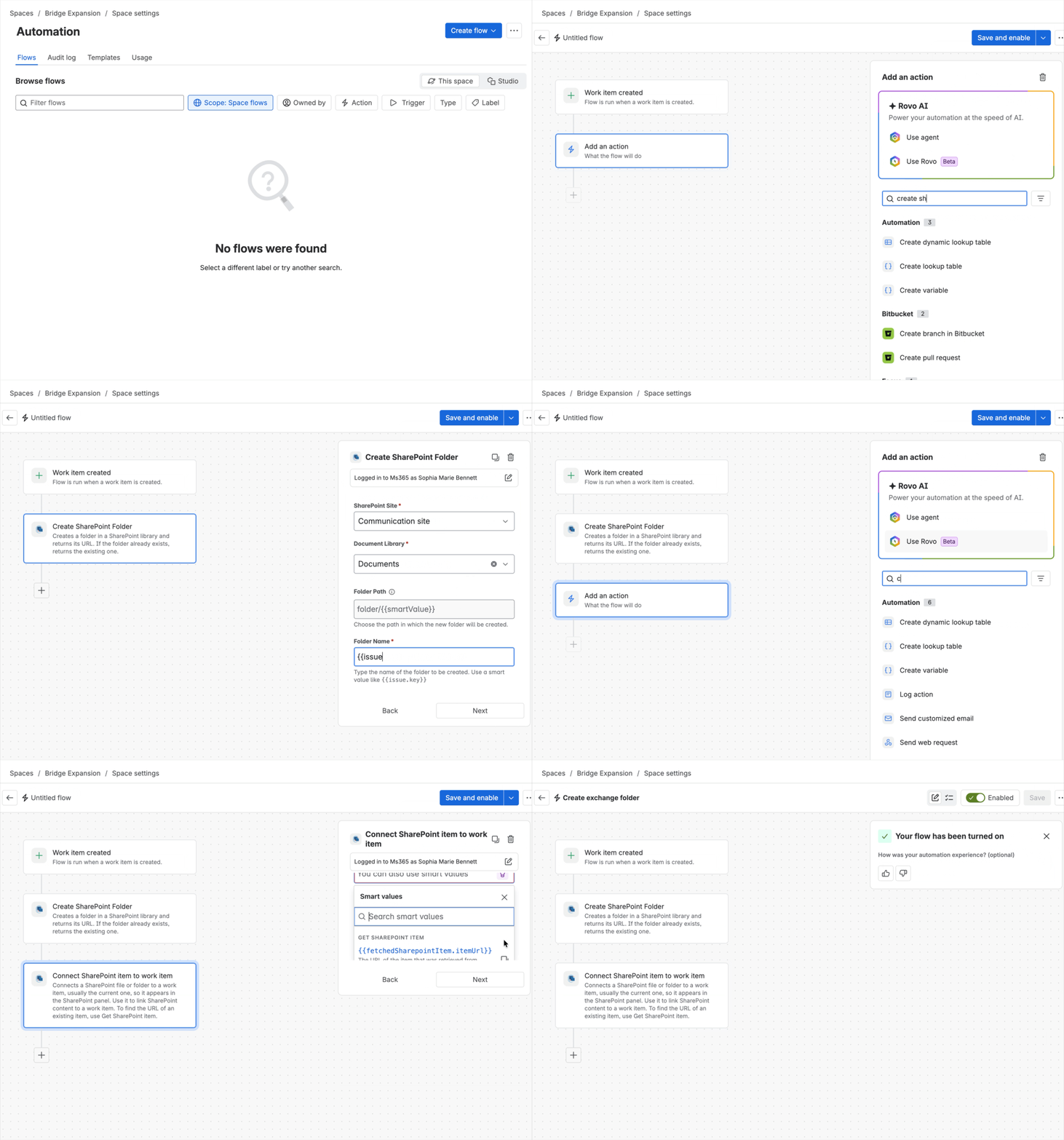
Outcome: When you create a work item, its folder is already in the SharePoint panel.
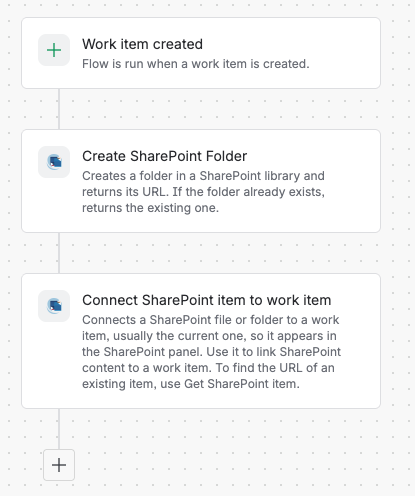
Rule at a glance
-
TRIGGER Work item created
-
ACTION Create SharePoint folder
-
ACTION Connect SharePoint item to work item
Step-by-step setup
1. Create the rule
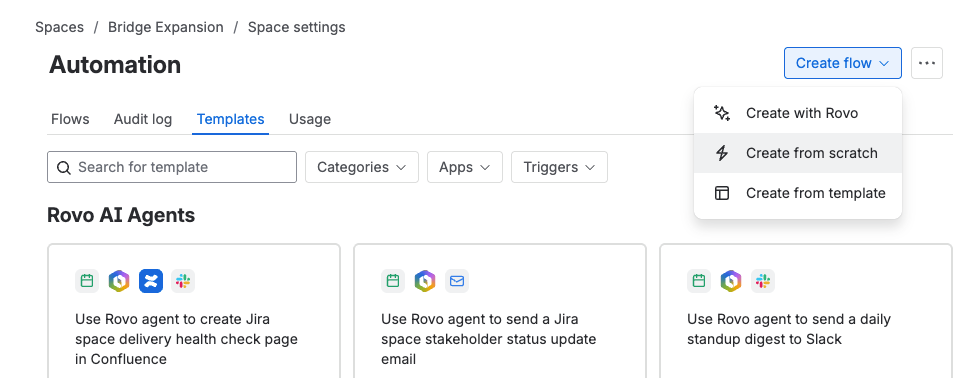
Go to Space settings > Automation, then select Create flow. Choose Create from scratch.
2. Add the trigger
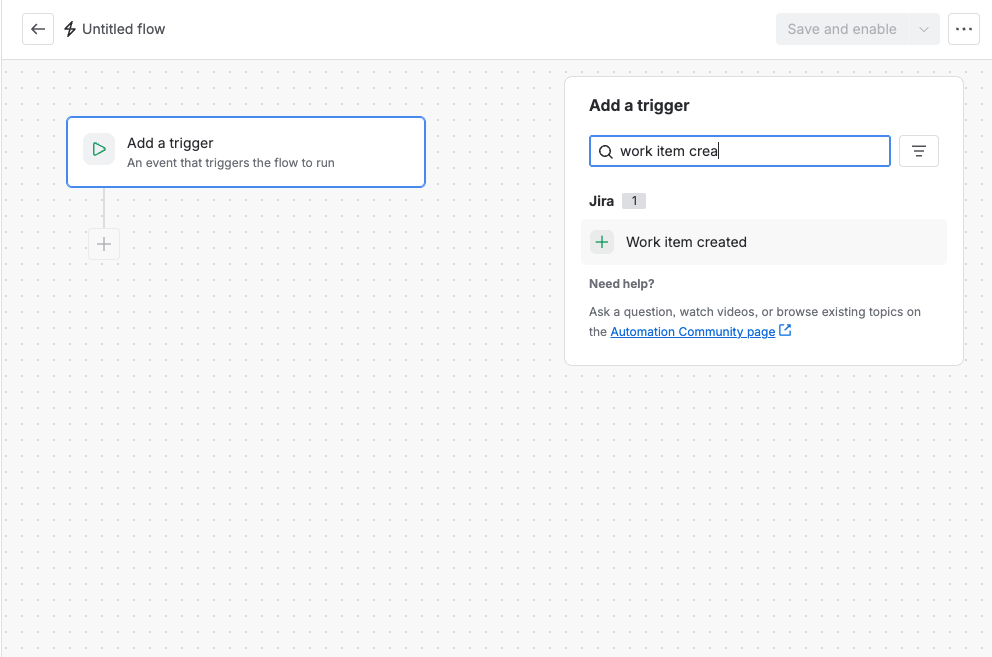
Select the trigger Work item created.
3. Create the folder
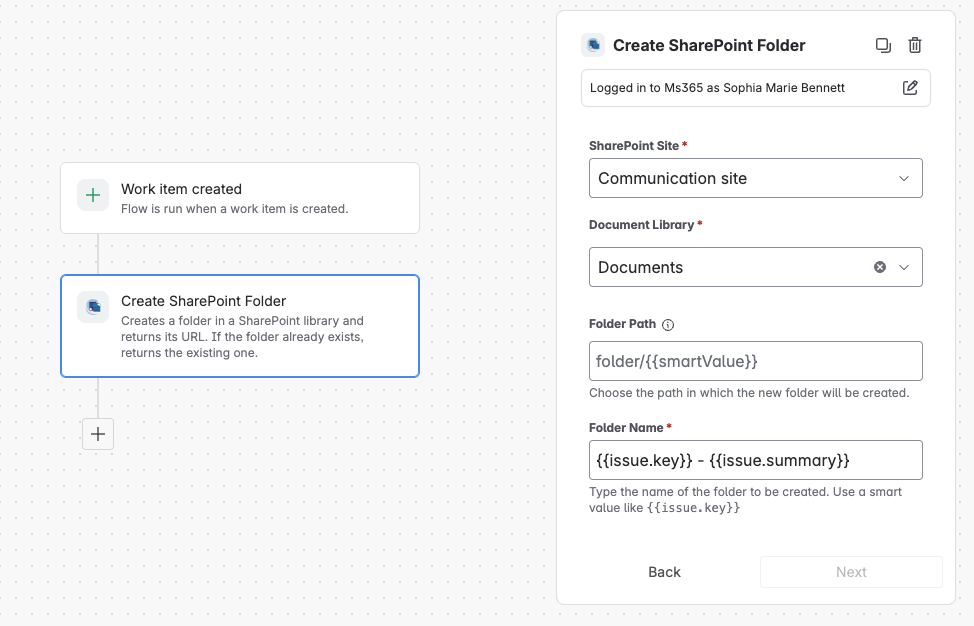
Add the action Create SharePoint folder and fill in the fields.
|
Field |
Value |
|---|---|
|
Site |
Your SharePoint site |
|
Document library |
Your document library |
|
Folder path |
Optional; for example, Exchange. The folder must already exist in the library. |
|
Folder name |
|
To make folders easier to recognize in SharePoint, combine the key and the summary, for example, {{issue.key}} - {{issue.summary}}. The key keeps the name unique. The folder name doesn’t change when someone edits the summary later. Rules that look up the folder by name, such as Copy attachments as they’re added, then won’t find it anymore. If you plan to use those rules, use {{issue.key}} only.
4. Connect the folder
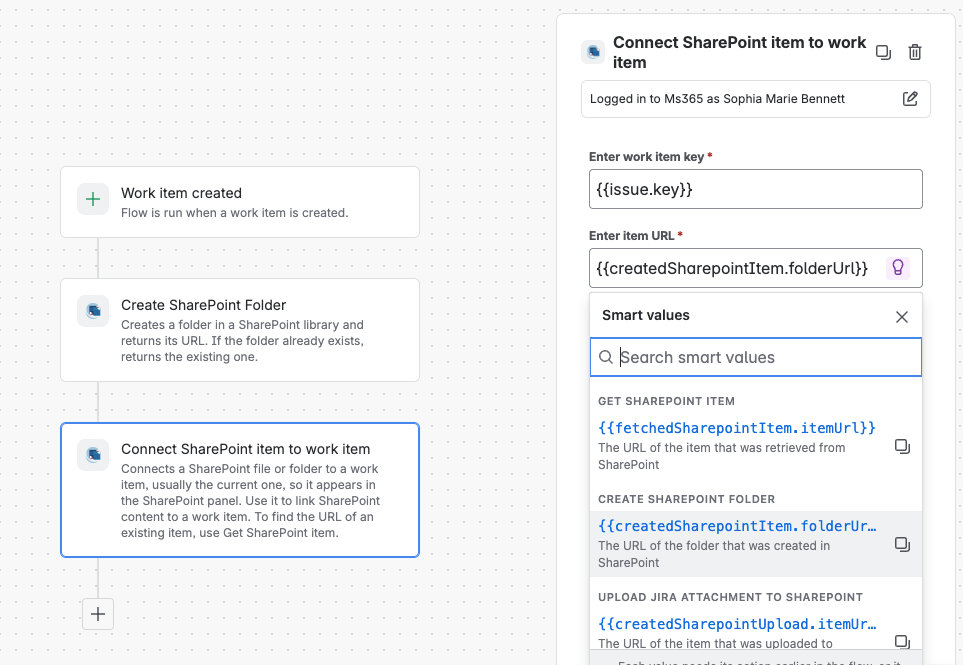
Add the action Connect SharePoint item to work item and fill in the fields.
|
Field |
Value |
|---|---|
|
Work item |
|
|
Item URL |
|
{{createdSharepointItem.folderUrl}} contains the URL of the folder created in step 3. This is how one action passes its result to the next.
5. Turn it on
Name the rule (for example, Create exchange folder), then turn it on.
Try it
Create a work item and open its SharePoint panel. Your folder should be there. If it isn’t, check the rule’s audit log.
Make it yours
|
Recipe |
Change |
|---|---|
|
SPACE One folder per space |
Set Folder path to |
|
FILTER Only certain work item types |
Add a condition after the trigger, for example, Work item type equals Service request. |
|
BRANCH Different libraries per type |
Add an If/else block and a separate Create SharePoint folder action in each branch. |