
TUTORIAL 4 OF 6 10 MIN INTERMEDIATE SPACE ADMIN
When a work item is closed, the rule deletes its SharePoint folder if nobody used it and removes the folder from the work item’s SharePoint panel. Folders that contain files stay as they are.
This tutorial builds on A SharePoint folder for every new work item.
What you’ll learn
-
Find an existing folder with Get SharePoint item
-
Delete a folder only if it is empty
-
Use a true/false result in a condition
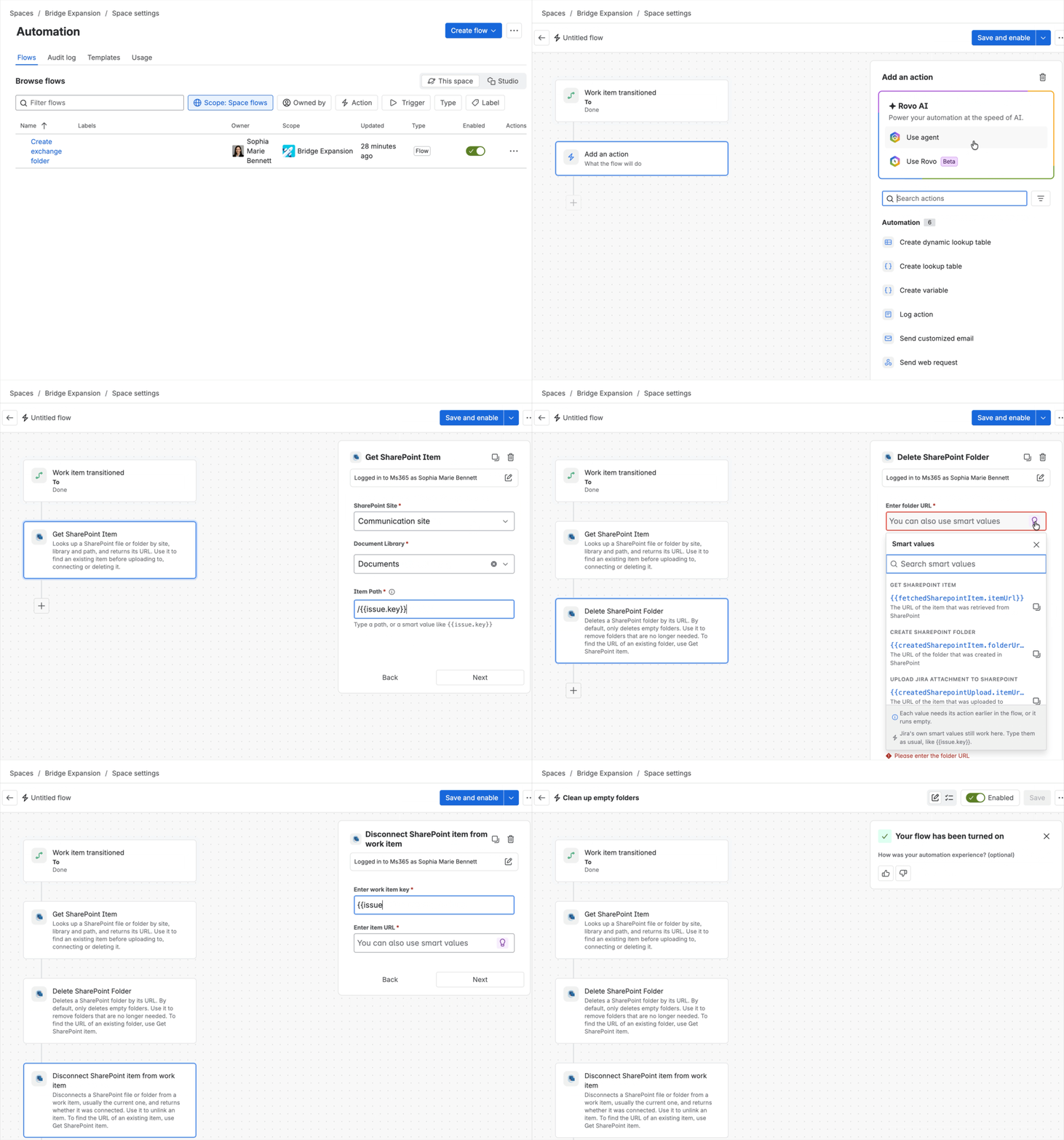
Outcome: When you close a work item with an empty folder, the folder is gone from SharePoint and from the SharePoint panel.
Rule at a glance
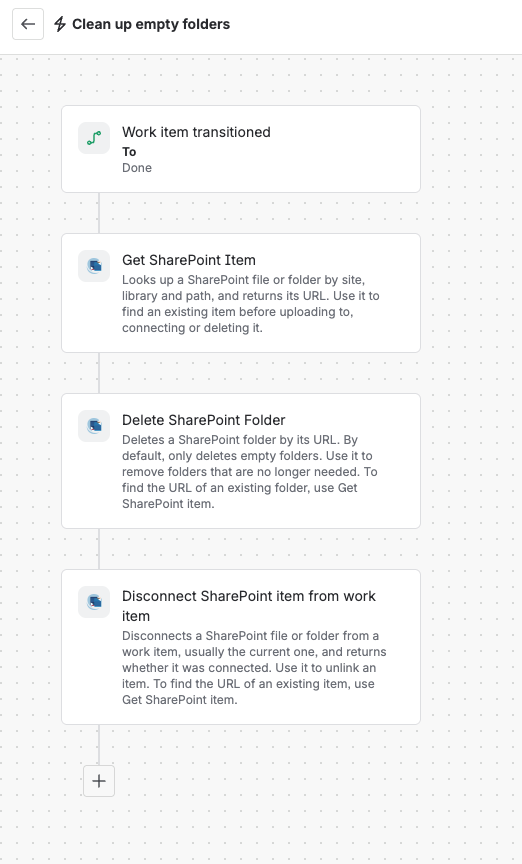
-
TRIGGER Work item transitioned to Done
-
ACTION Get SharePoint item
-
ACTION Delete SharePoint folder
-
CONDITION Folder was deleted
-
ACTION Disconnect SharePoint item from work item
Step-by-step setup
1. Create the rule
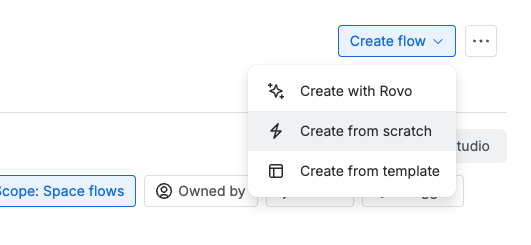
Go to Space settings > Automation, then select Create flow. Choose Create from scratch.
2. Add the trigger
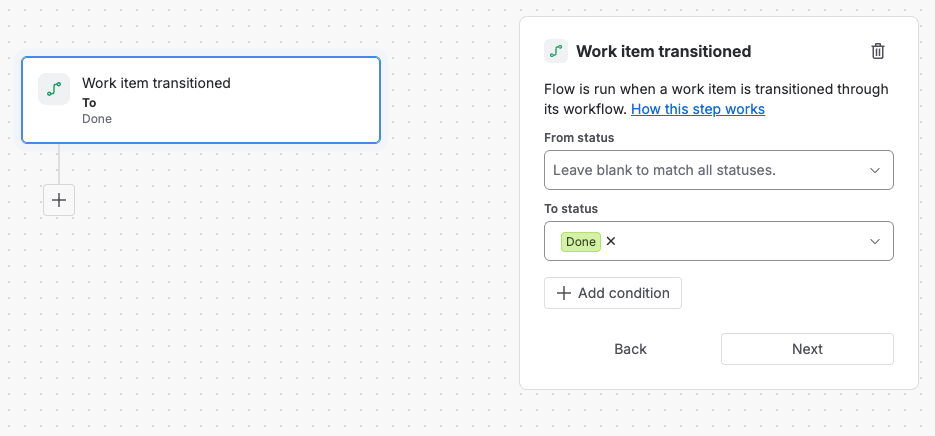
Select the Work item transitioned trigger and set To status to Done, or your own closing status.
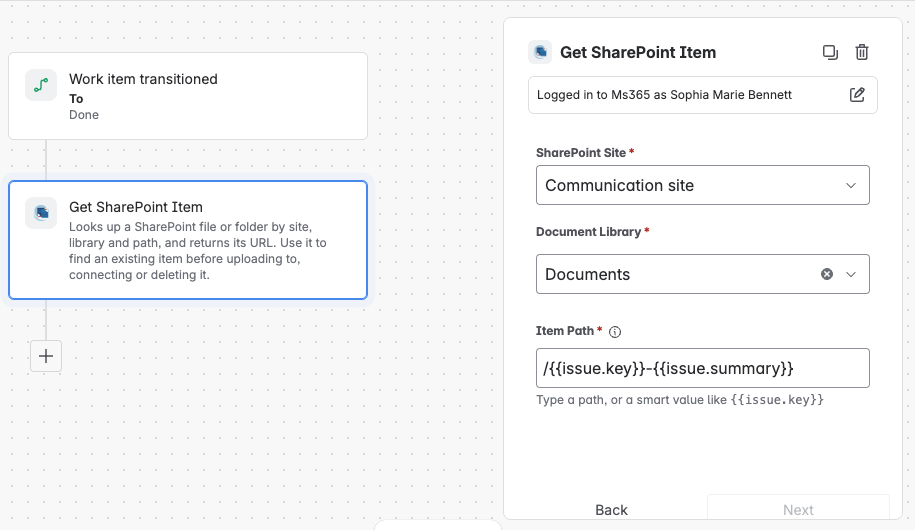
3. Find the work item’s folder
Add the action Get SharePoint item and fill in the fields.
|
Field |
Value |
|---|---|
|
Site |
The site from A SharePoint folder for every new work item |
|
Document library |
The library from A SharePoint folder for every new work item |
|
Item path |
Folder path and folder name from A SharePoint folder for every new work item, for example |
The item path must exactly match the folder path and name. If you named your folders with the key and the summary, the folder isn’t found after someone edits the summary.
4. Delete the folder if it’s empty
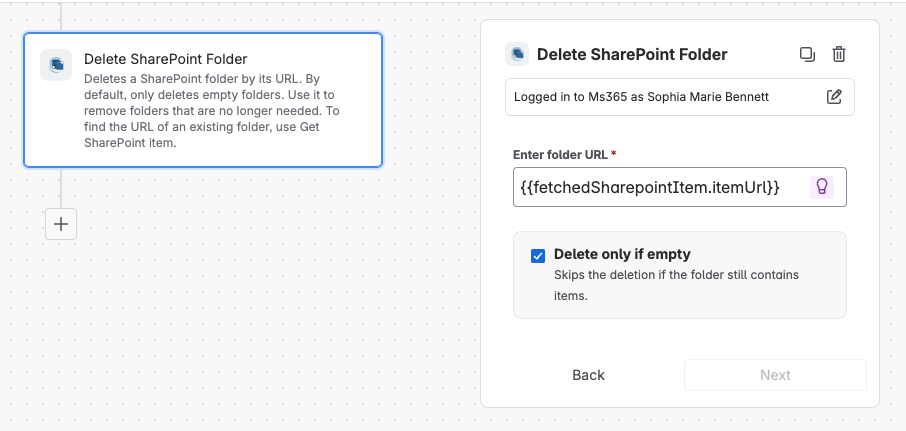
Add the action Delete SharePoint folder and fill in the fields.
|
Field |
Value |
|---|---|
|
Folder URL |
|
|
Only delete if empty |
On |
Only delete if empty keeps your files safe. If the folder has content, the action skips the deletion and the rule continues.
5. Remove the folder from the work item
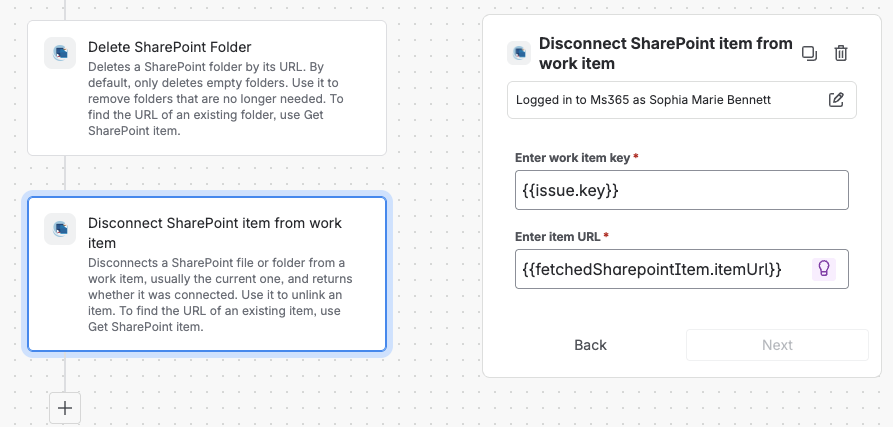
Add the action Disconnect SharePoint item from work item and fill in the fields.
|
Field |
Value |
|---|---|
|
Work item |
|
|
Item URL |
|
6. Turn it on
Name the rule, for example, Clean up empty folders, then turn it on.
Try it
Close a work item whose folder is empty. The folder disappears from SharePoint and from the work item’s SharePoint panel. Then close one with a file in its folder. That folder stays. If something doesn’t work, check the rule’s audit log.
Make it yours
|
Recipe |
Change |
|---|---|
|
STATUS Other closing statuses |
Change To status, for example to Cancelled, or select several statuses. |
|
SCHEDULE Clean up later |
Use a Scheduled trigger that runs daily with the JQL |
|
NOTIFY Leave a comment |
After the condition, add Add comment, for example “The empty SharePoint folder was removed.” |