
Invite only. The app is currently available through our Early Access Program. See Join the Early Access Program.
Meridian People & Skills Hub turns everyday work in Jira and Confluence into skills profiles, so your organization can see which expertise it already has. Instead of asking you to fill in a skills survey, the app reads the work you have already done and suggests the skills behind it.
The app is an Atlassian Forge app and runs on Jira Cloud. It also derives skills from Confluence Cloud once Confluence is connected to the app.
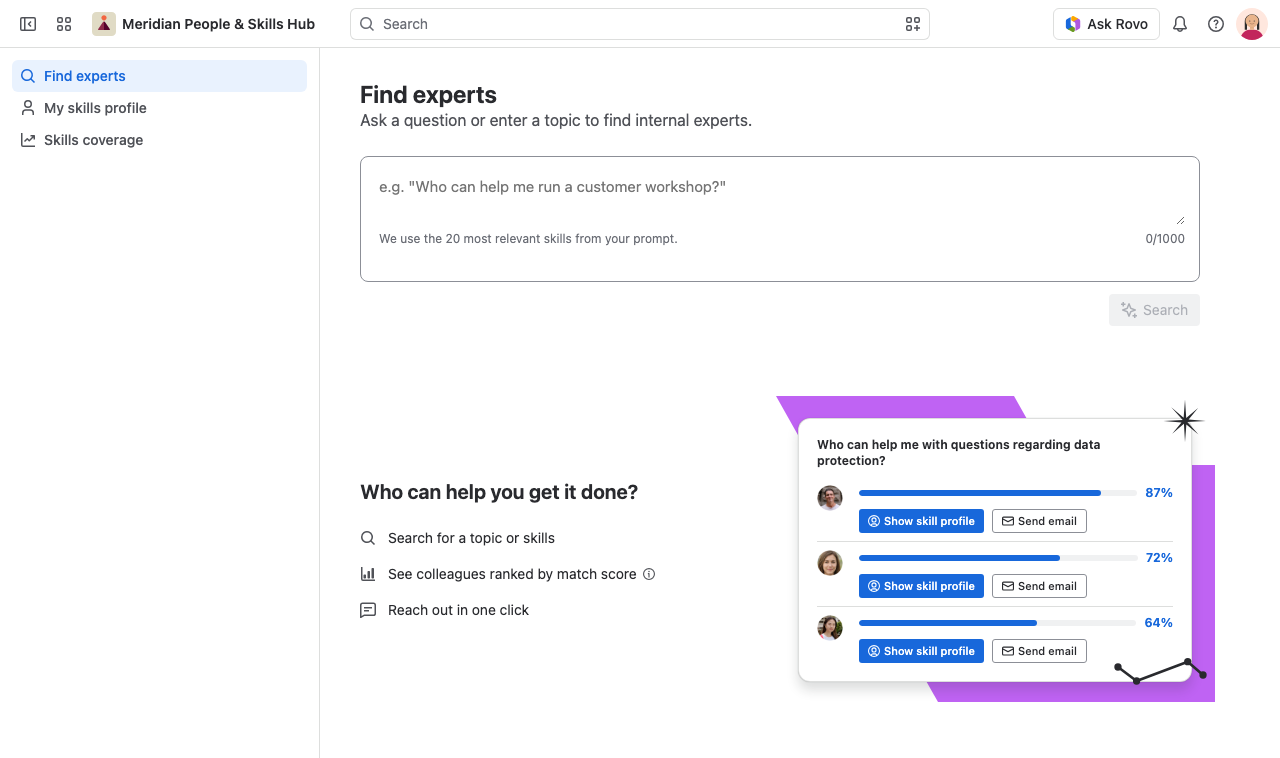
What you can do with Meridian People & Skills Hub
-
Get a skills profile you did not have to write. The app derives skills with proficiency levels from resolved Jira issues and Confluence pages, and shows the work behind each skill as evidence.
-
Find the right colleague for a topic. Describe a task in your own words and get a ranked list of people, each with a match score and the skills they bring.
-
See where expertise sits and where it is missing. The skills coverage view counts how many people hold each skill you need, company-wide or for one Atlassian Team, and marks the gaps.
-
Get expert suggestions where you work. A panel on the Jira issue view suggests up to two experts for the current issue, and the Skills Navigator agent answers expert questions in Rovo chat.
-
Stay in control of your own profile. You decide which suggested skills you accept; you can change the assigned proficiency level, and you can remove a skill, which also blocks it from future suggestions.
Who uses the app
If you are a Jira admin, you install the app, apply for the Early Access Program, review what it is allowed to read, and choose one global setting: The profile population mode. That setting decides whether people confirm each derived skill themselves or whether the app adds skills to their profile automatically. Until you save a mode, the hub and the Get expert advice panel in Jira show a notice instead of profile data.
If you use the app in your daily work, you maintain your own skills profile, search for experts, and check skills coverage. Start with the user guide.
What the app reads
The app analyzes the work you and your colleagues create:
-
Resolved and done Jira issues, including the description, your own comments, your role as assignee or reporter, and your activity in the issue history. Jira Service Management projects stay out.
-
Confluence pages and live docs, including pages that existed before the app was installed. Comments, blog posts, and attachments stay out.
The app stores which skills it derived and which work items it read, never the text of those work items. For the full picture, see the privacy section in the FAQ.
More resources
-
Atlassian Marketplace listing
-
Frequently asked questions about data, privacy, and the match score
-
Elevatic support to get help from our team