
Before you staff a project or plan a piece of work, you want to know whether the required expertise exists at all. Skills coverage in Meridian People & Skills Hub takes a description of the work and shows, for every required skill, how many people hold it and at what level, either across the company or within one Atlassian Team.
Coverage counts only the skills that are on people's profiles. Skills the app has derived but hasn't placed on a profile don't count, so coverage looks thinner shortly after the app is installed.
How to access Skills coverage
-
Open the hub and select Skills coverage.
-
Describe the work in the input field, for example:
We are migrating our billing service to AWS and need to rebuild the reporting pipeline. The field allows up to 1000 characters and shows how many you've used. -
Optional: Select an Atlassian Team in the filter to measure coverage for that team only. The default is No team selected, which measures the whole company.
-
Click Analyse coverage.
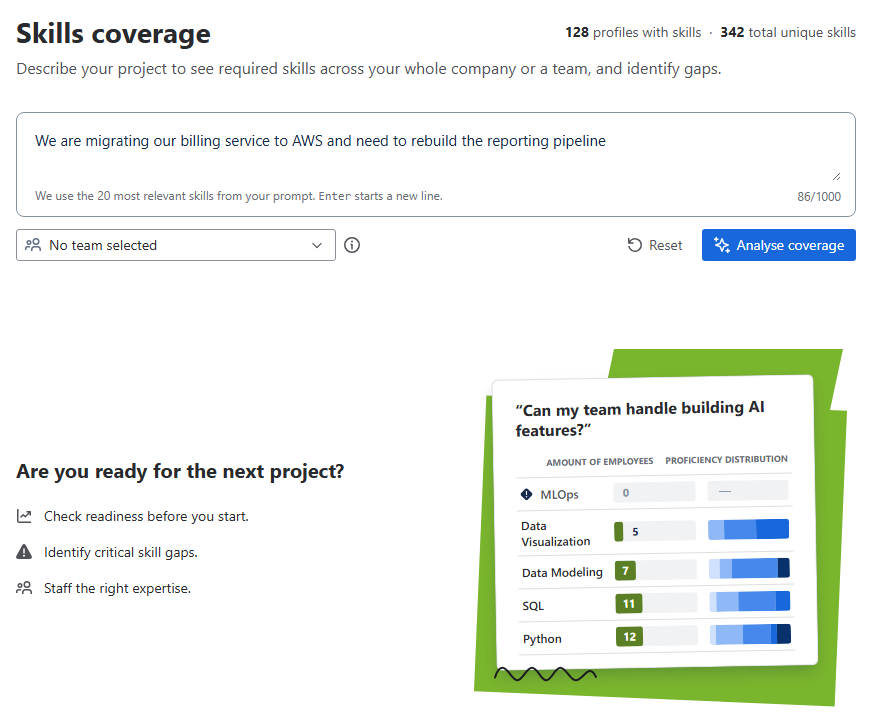
Image 1: Skills coverage screen (click to enlarge)
The app extracts up to 20 required skills from your description and lists them with:
-
Amount of employees, the number of people in scope who hold the skill
-
Proficiency distribution, a bar that shows how those people are spread across the five levels
-
A marker on every skill that nobody in scope holds, plus a count of these gaps above the list
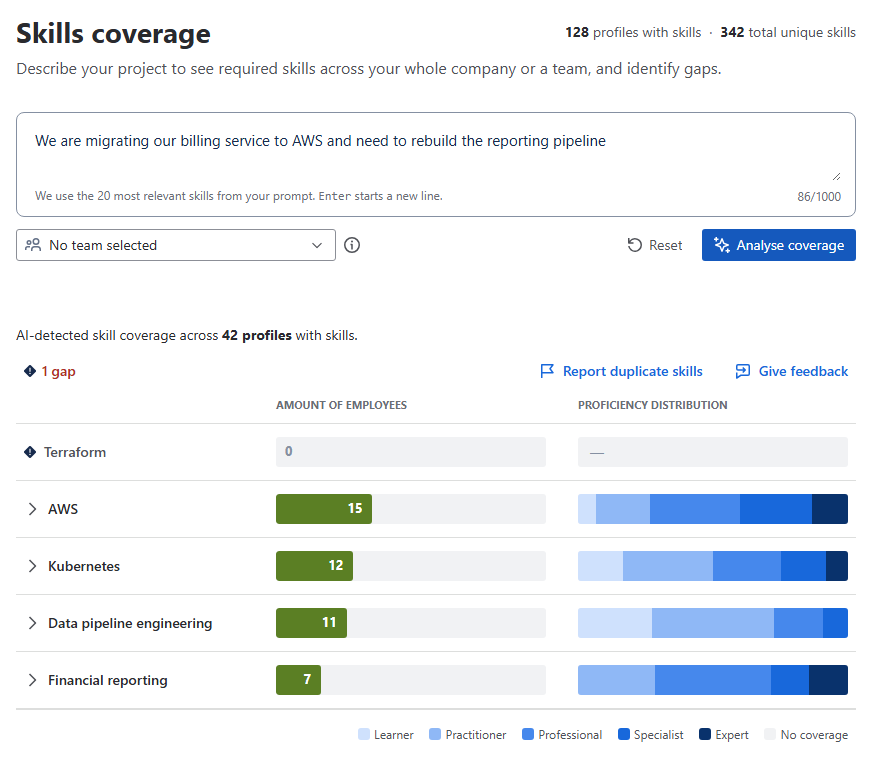
Image 2: Result of the skills coverage analysis (click to enlarge)
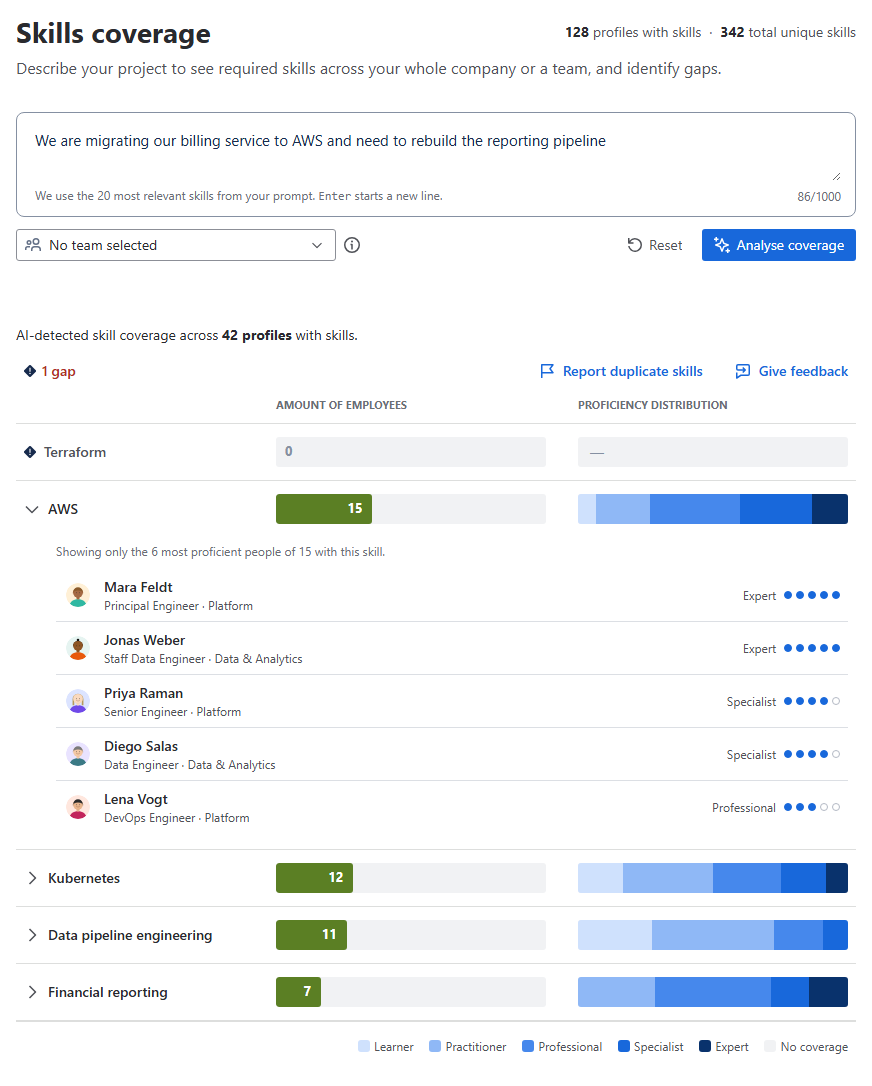
Click the arrow in front of a skill to see the people who hold it, sorted by level, with their job title and department. A skill nobody holds has no arrow. For a widely held skill, the app lists the ten most proficient people and says that this is a partial list. Select a person to open their skills profile.
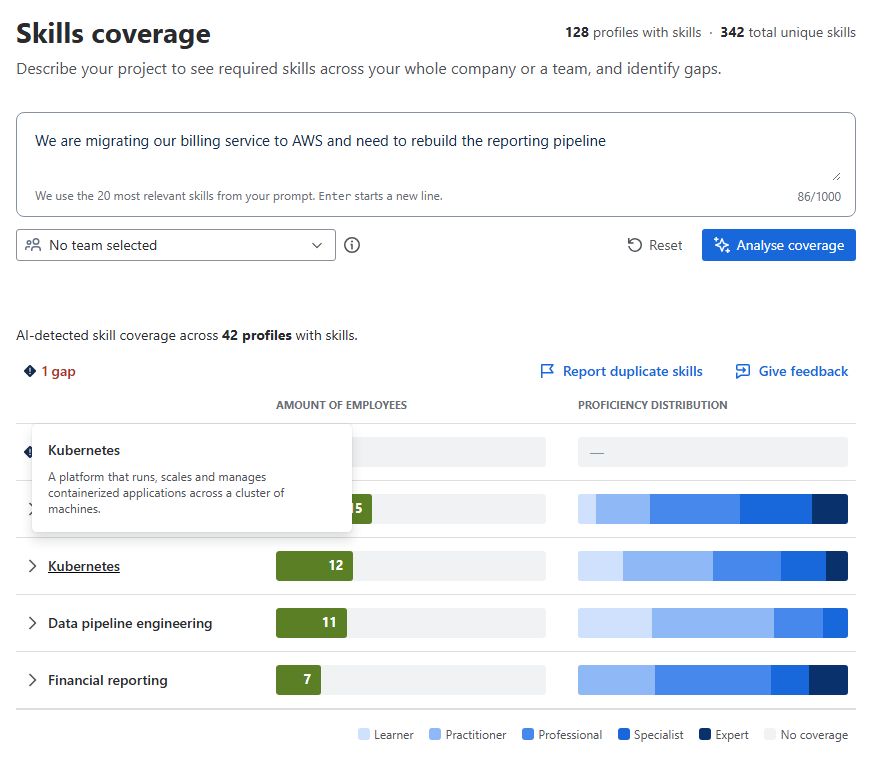
Click a skill name to read a short description of the skill.
The two figures at the top right of the page, the number of profiles with skills and the number of unique skills, always describe the whole company. The team filter doesn't change them.
If you get no result
-
The app can't extract any skills from your description. It says so and suggests rephrasing the description, or entering a comma-separated list of skills instead.
-
No skills are on profiles yet. Company-wide, the app says that no skills are recorded yet and that coverage appears as profiles fill up. With a team selected, it says the same for that team and suggests clearing the filter or picking another one.
How to read the result
-
A gap means nobody in the selected scope has that skill on their profile. It doesn't prove nobody can do it. Check a wider scope, and remember that profiles fill up over time.
-
A skill held by many people at level 1 and 2 is a different situation from a skill held by two people at level 5. The distribution bar shows that difference. Hover over a segment of the bar to see its level and how many people hold the skill at that level.
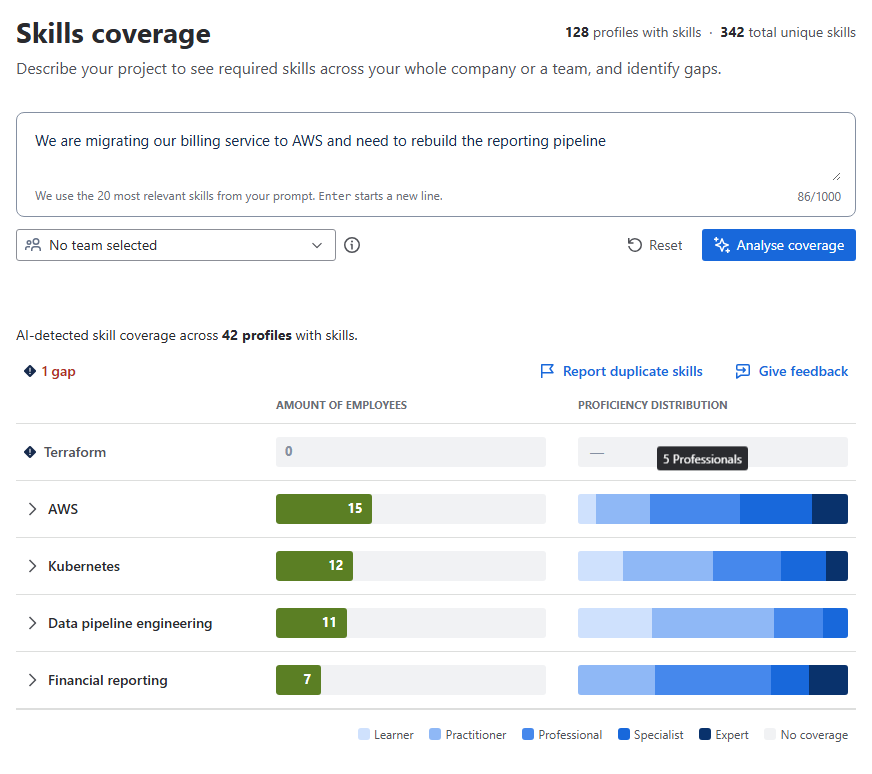
Image 5: Level and number of people for a bar segment (click to enlarge) -
Coverage says nothing about who is available. Use it to decide whether the expertise exists, then plan your next step.