
An essential clue in troubleshooting is the Support Zip, and Elevatic Support will ask for it in most cases. The Support Zip is provided via Atlassian Troubleshooting and Support Tools, which is now part of the main applications from Atlassian:
-
JIRA
-
Confluence
-
Bamboo
-
Fisheye/Crucible
Support Tools can be found in your application's administration console. You'll need to be logged in as an Administrator to use the Support Tools.
-
JIRA: System > Troubleshooting and support Tools (under System support)
-
Confluence: General Configuration > Support Tools (under Administration)
-
Bamboo: Overview > Support Tools (under System)
-
FishEye/Crucible: Administration > Support Tools (under System Settings)
To resolve your support case, we need accurate, specific data. The data in the support zip may contain sensitive information, such as user names, page titles, etc. The support team treats this information with the utmost care in accordance with relevant data security laws. It will be used solely to resolve your support cases and will never be shared with third parties.
Keep all checkboxes selected and choose Create. The Support Zip will be created, and its location will be displayed on the screen. Log in to the application server to retrieve the file or download it via the user interface (available with Support Tools Plugin version 3.9.4 or higher).
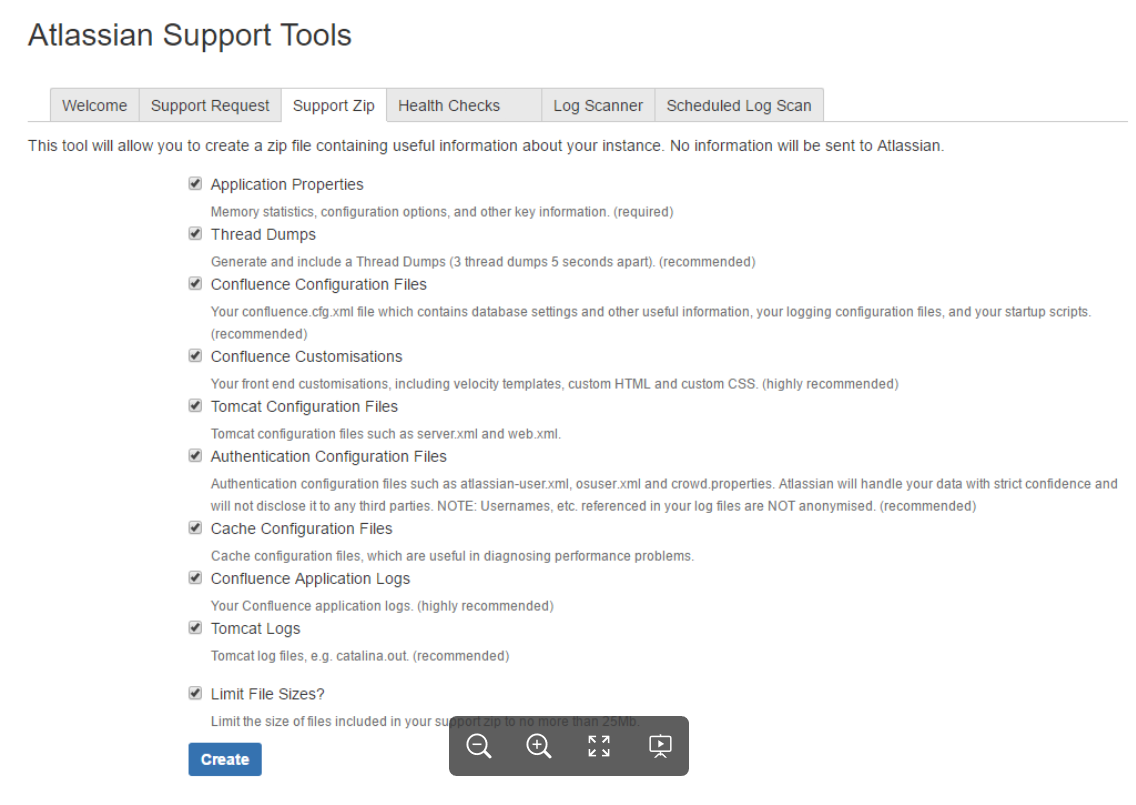
With all newer versions, you can download the Support Zip via the user interface!
Related Articles