
In this article, we will describe how to configure the “Search Macro” in the “Refined for Confluence” app to use page metadata fields as search parameters.
This macro can be configured with several parameters, including the “CQL” parameter, which lets you define a search query as described in “Advanced Searching using CQL”.
For more information regarding the “Search Macro”, click here.
Instructions
To adjust the “Search Macro” to search pages according to their metadata field values, configure the following as CQL parameter:
(space ="SPACE_KEY") or (METADATA_FIELD_KEY="$query")
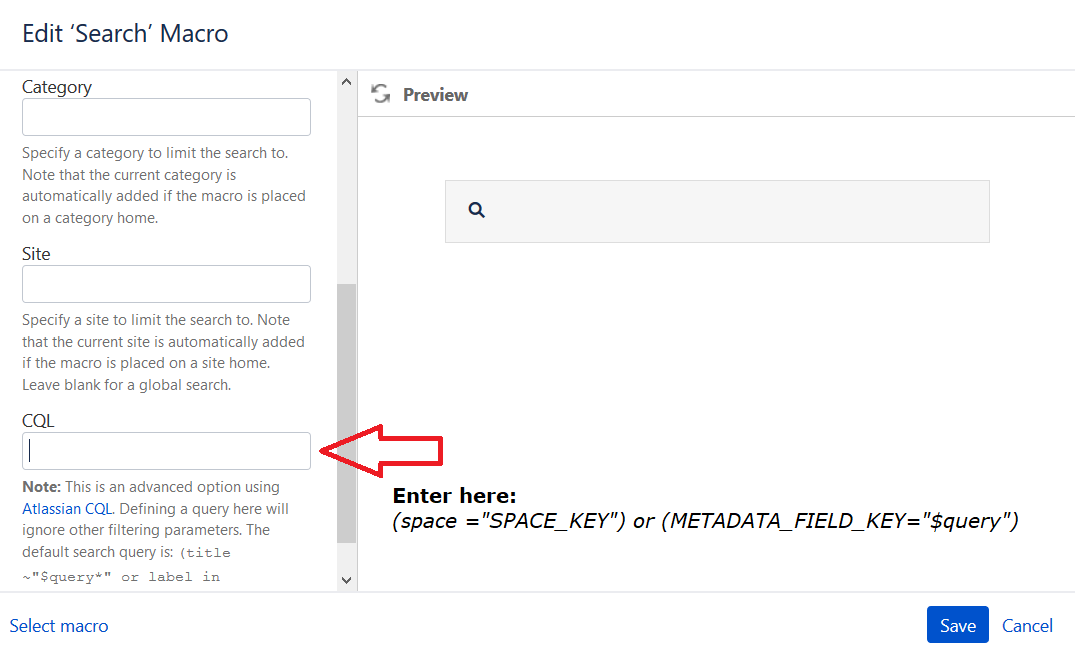
Search Macro parameters - CQL parameter
You should:
-
Change “METADATA_FIELD_KEY” to the key of the metadata field you want to include in your search.
-
Change the space key “SPACE_KEY” to your space key.
With this configuration, if you enter the value “jira” in the search input, you will get the following results:
-
All Confluence pages (from every space) that have the value “jira” in the metadata field with key “METADATA_FIELD_KEY”
-
Pages from the space with key “SPACE_KEY” that have the word “jira” in their title
-
Pages from the space with key “SPACE_KEY” that have the label “jira”
Related articles