
Problem
I get an error message when trying to import metadata.
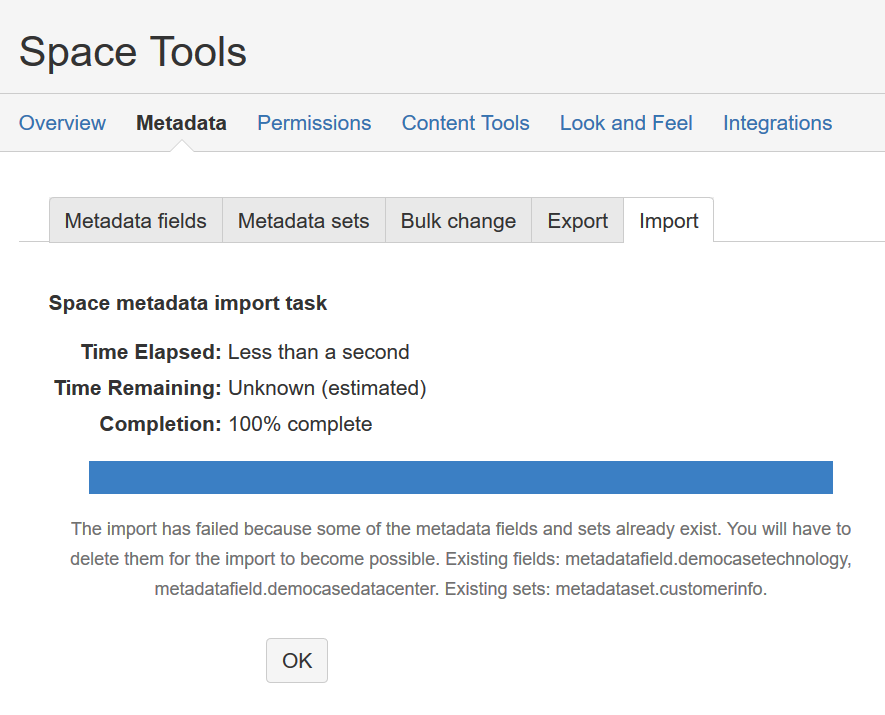
It reads "The import has failed because some of the metadata fields and sets already exist. You will have to delete them for the import to become possible. Existing fields: ... Existing sets: ..."
Solution
You are trying to import metadata in a space where metadata sets/fields with the same keys already exist. To prevent overwriting existing configurations, the import fails.
As the error message suggests, you need to delete duplicate sets/fields with duplicate keys before trying the import again.
It is possible to have two sets/fields with similar (but different) names that share the same key. This is because keys are automatically generated. In that case, please recreate one of the fields with a different name before the import so the keys will differ. You can use the bulk change option to assist in the process.
Related Articles
- SubSpace and Metadata Integration
- Query Page Status (Comala Workflows) alongside Metadata
- Import Fails: It is not possible to import metadata from space A into space B
- REST API, common errors and examples:
- Bulk change of global Metadata sets and fields.
- How to show all pages where Metadata field is empty
- We are getting too many Metadata notifications
- Configure the “Search Macro” from “Refined for Confluence” to use page metadata fields as search parameter
- Use status macro for single select values
- Error when I create a new Metadata field
- Space "Product Directory" keeps appearing on Confluence instance
- User Profiles and Metadata Integration
- Deleted user is not anonymized in metadata set
- No results in Metadata Overview with filters
- Does Metadata work with appfire's Comala Document Management Data Center (formerly Comala Workflows)