
Problem
I get an error message when trying to import metadata.
Message 1:
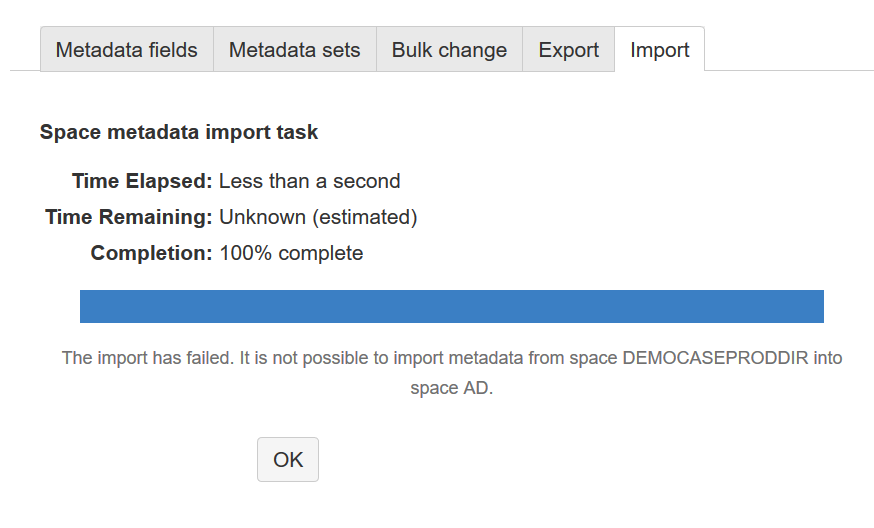
It reads The import has failed. It is not possible to import metadata from space SPACEKEY-A into space SPACEKEY-B.
Solution 1
One condition for the import functionality is that the space keys between the exported space and the imported space match. Refer to the documentation to see which changes you need to make to import metadata from space A to space B.
Message 2:
The import has failed. Please check the logs for details.
If you check the logs, you find a note along the lines
com.communardo.confluence.metadata.MetadataImportException: Page template with ID 101123:Template TemplateName of Metadata set metadataset.metadatasetname does not exist
Solution 2
If you get this log message, your metadata in the old space is connected to one or more page templates in the same space. To export/import the metadata successfully, make sure that page templates of the same title are already available in the new space when you try to import the metadata.
Related Articles
- SubSpace and Metadata Integration
- Query Page Status (Comala Workflows) alongside Metadata
- Import Fails: It is not possible to import metadata from space A into space B
- REST API, common errors and examples:
- Bulk change of global Metadata sets and fields.
- How to show all pages where Metadata field is empty
- We are getting too many Metadata notifications
- Configure the “Search Macro” from “Refined for Confluence” to use page metadata fields as search parameter
- Use status macro for single select values
- Error when I create a new Metadata field
- Space "Product Directory" keeps appearing on Confluence instance
- User Profiles and Metadata Integration
- Deleted user is not anonymized in metadata set
- No results in Metadata Overview with filters
- Does Metadata work with appfire's Comala Document Management Data Center (formerly Comala Workflows)