
Every skill on your profile carries a level from 1 to 5. Meridian People & Skills Hub proposes a level based on the work it read, and that proposal is a starting point, not a verdict. Only you can change it: A level you set stays until you change it yourself, and later analyses of your work never overwrite it.
Levels are judged by how demanding the topic is, not by comparing you to colleagues. Two people can both be at level 5 in the same skill. The level you set takes effect right away, and it raises or lowers your match score in expert search.
What the levels mean
|
Level |
Name |
What it says |
|---|---|---|
|
1 |
Learner |
You are learning the basics. |
|
2 |
Practitioner |
You apply the skill solidly in everyday work. |
|
3 |
Professional |
You work fully autonomously at a high level. |
|
4 |
Specialist |
You have deep, detailed knowledge and are the person to ask on complex problems. |
|
5 |
Expert |
You are the company's leading authority. |
The same descriptions are available in the app. Click the Level guide above your skill list to open it.
Steps
You can set a level in both tabs of your profile: On the Skills tab for a skill you already hold, and on the Suggested tab before you accept a suggestion.
-
Open the hub and select My skills profile.
-
Find the skill and set the new level on its row.

Image 1: Set a skill level (click to enlarge) -
On the Skills tab, the Change Expert Level dialog opens. Check the old and the new level in the text, then click Change level.
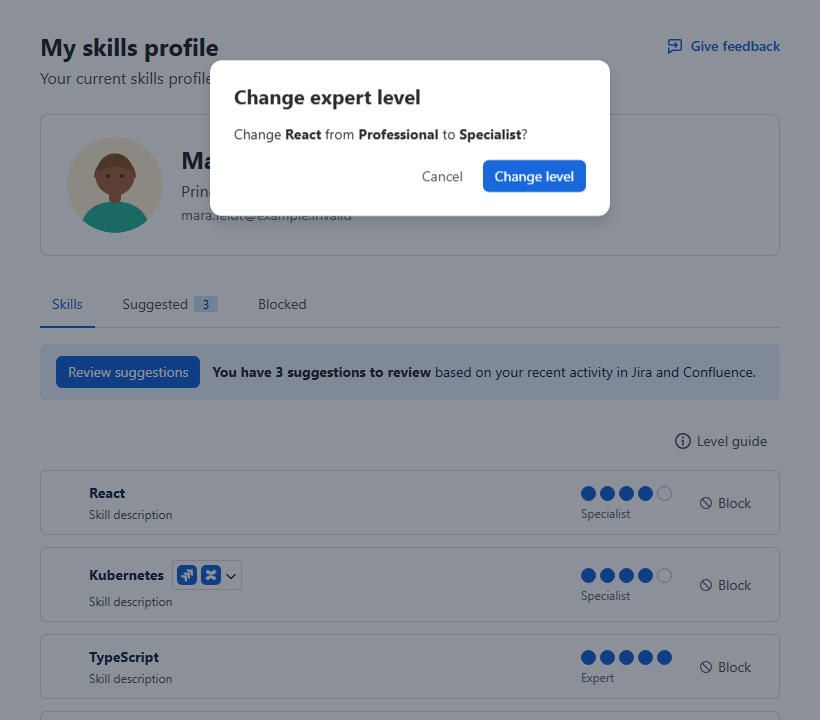
Image 2: Change expert level (click to enlarge)
On the Suggested tab there is no confirmation dialog. The skill isn't on your profile yet, so the level you set travels with the suggestion and applies as soon as you accept it.
The row shows the new level, and expert search uses it for the next search. A higher level raises your match score for that skill; a lower level reduces it.