
🤔 Problem
Through our app User Profiles for Confluence (Microsoft Attributes Sync) (UPC) a new People directory is displayed (new URL) for more filter options. Currently, the visibility settings for the Space Privacy 3rd-party app do not apply to the Communardo People Directory.
🌱 Solution / Workaround
Workaround 1 - Only internal users can see the UPC People Directory
Configuration:
-
Create a dummy extranet space in Confluence
-
Assign the internal group (usually confluence-users) to this space as the extranet space manager: > Space Tools > Extranet Users > Admins
-
Block the URL /communardo/userprofile/indexofpersons.action of the people directory. For that, you need to use a feature of the Space Privacy app: the extended restrictions configuration.
-
Set the mode of the dummy extranet space to "archived".
All internal users should still be able to access the user directory. All other users will see the message "No Permission"
Workaround 2 - All users can see the Confluence People Directory
This workaround is only available until version 3.3.17 of User Profiles for Confluence.
If all users (internal and external) should be able to access the people directory, the UPC People Directory must be deactivated. The Confluence standard people directory will be displayed instead and the security settings of the Space Privacy app are working.
How to deactivate the UPC People directory:
-
Cog Icon - Manage apps
-
In the "User Profiles for Confluence" app extend the modules at the right side.
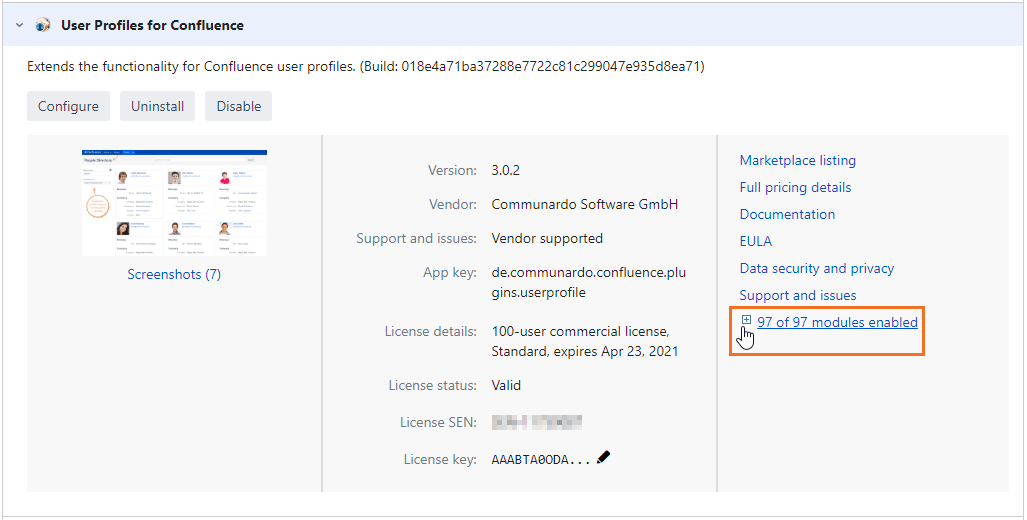
-
Disable the "People Directory Filter"

More filter options are described in the Space Privacy documentation.
Related Articles